# How to Add a New Wallet?

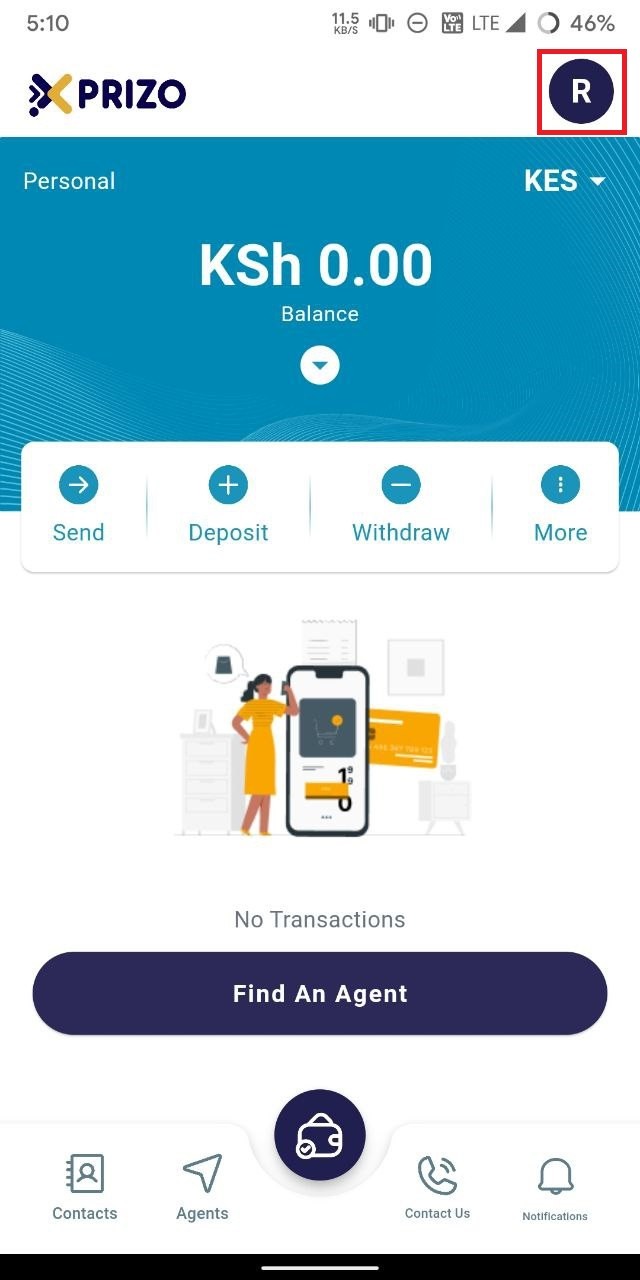
- To add a new wallet, click on the profile icon located in the top right corner to access the user's account settings.
    
    <div class="w-full pt-2 md:pt-0 dark:border-white/20 md:border-transparent md:dark:border-transparent md:w-[calc(100%-.5rem)]"><form class="stretch mx-2 flex flex-row gap-3 last:mb-2 md:mx-4 md:last:mb-6 lg:mx-auto lg:max-w-2xl xl:max-w-3xl"></form></div>

![photo1710934963.jpeg](https://books.xprizo.com/uploads/images/gallery/2024-03/scaled-1680-/photo1710934963.jpeg)

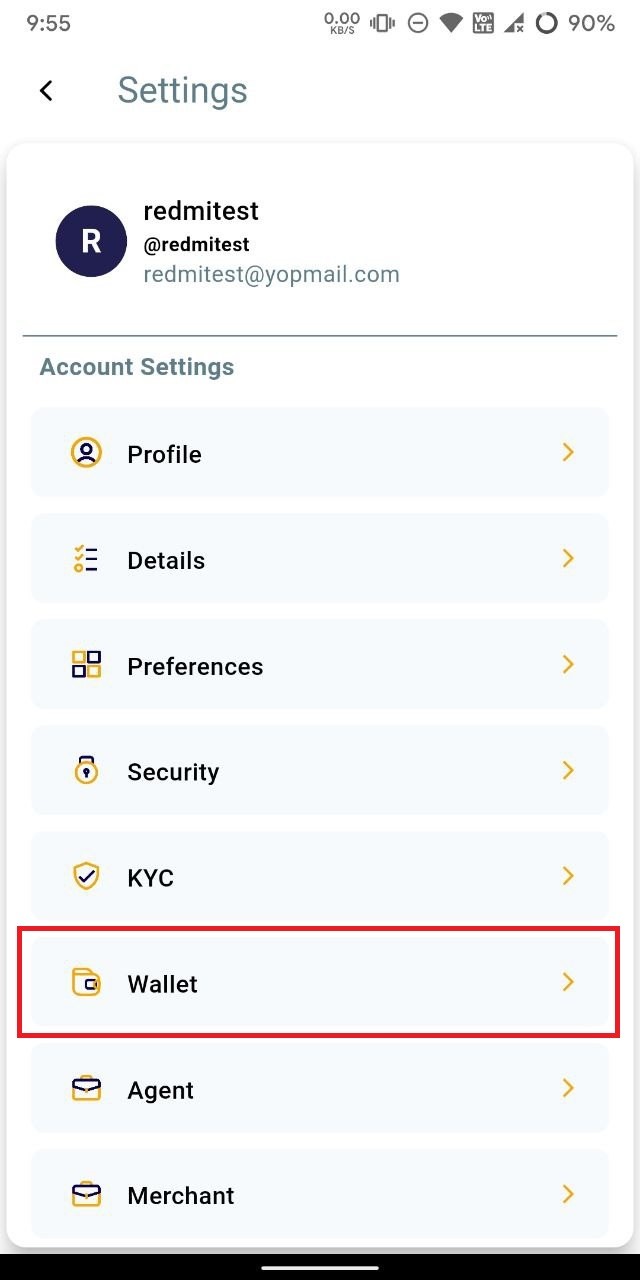
- Click on the "Wallet" option to access and manage the wallets.
    
    <div class="w-full pt-2 md:pt-0 dark:border-white/20 md:border-transparent md:dark:border-transparent md:w-[calc(100%-.5rem)]"><form class="stretch mx-2 flex flex-row gap-3 last:mb-2 md:mx-4 md:last:mb-6 lg:mx-auto lg:max-w-2xl xl:max-w-3xl"></form></div>

![photo1711513789 (2).jpeg](https://books.xprizo.com/uploads/images/gallery/2024-03/scaled-1680-/photo1711513789-2.jpeg)

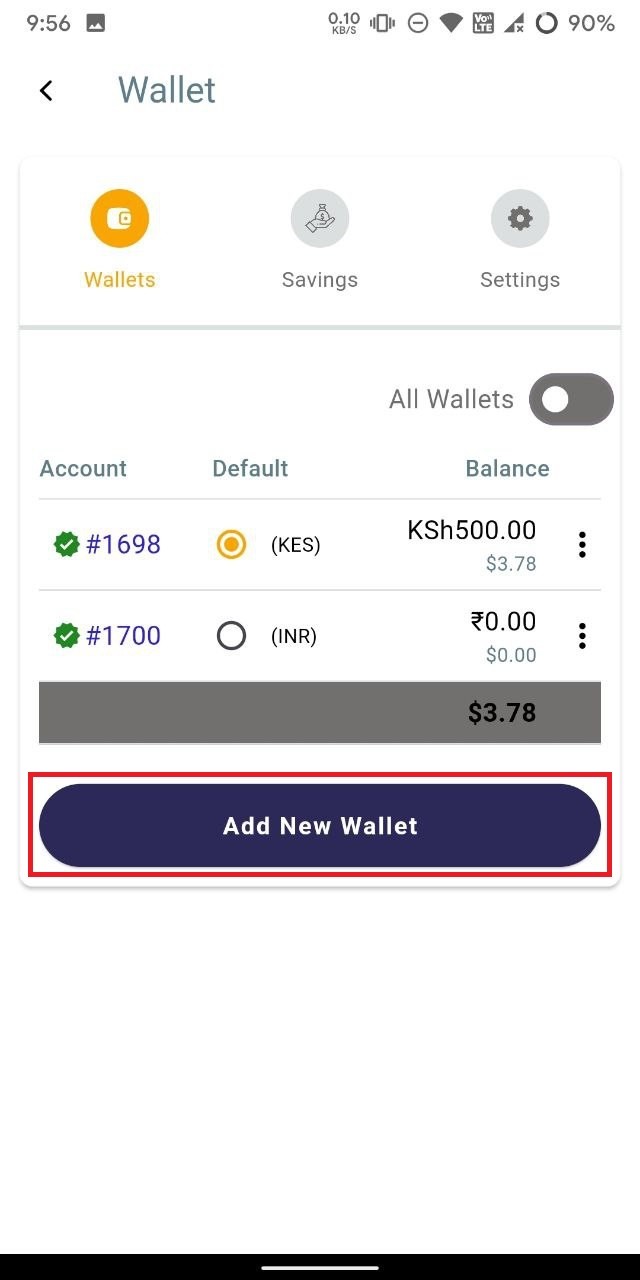
- To add a new wallet, click on the "Add New Wallet" button.
    
    <div class="w-full text-token-text-primary" data-testid="conversation-turn-512"><div class="px-4 py-2 justify-center text-base md:gap-6 m-auto"><div class="flex flex-1 text-base mx-auto gap-3 md:px-5 lg:px-1 xl:px-5 md:max-w-3xl lg:max-w-[40rem] xl:max-w-[48rem] group"><div class="flex-shrink-0 flex flex-col relative items-end"><div></div></div></div></div></div>

![photo1711513789 (3).jpeg](https://books.xprizo.com/uploads/images/gallery/2024-03/scaled-1680-/photo1711513789-3.jpeg)

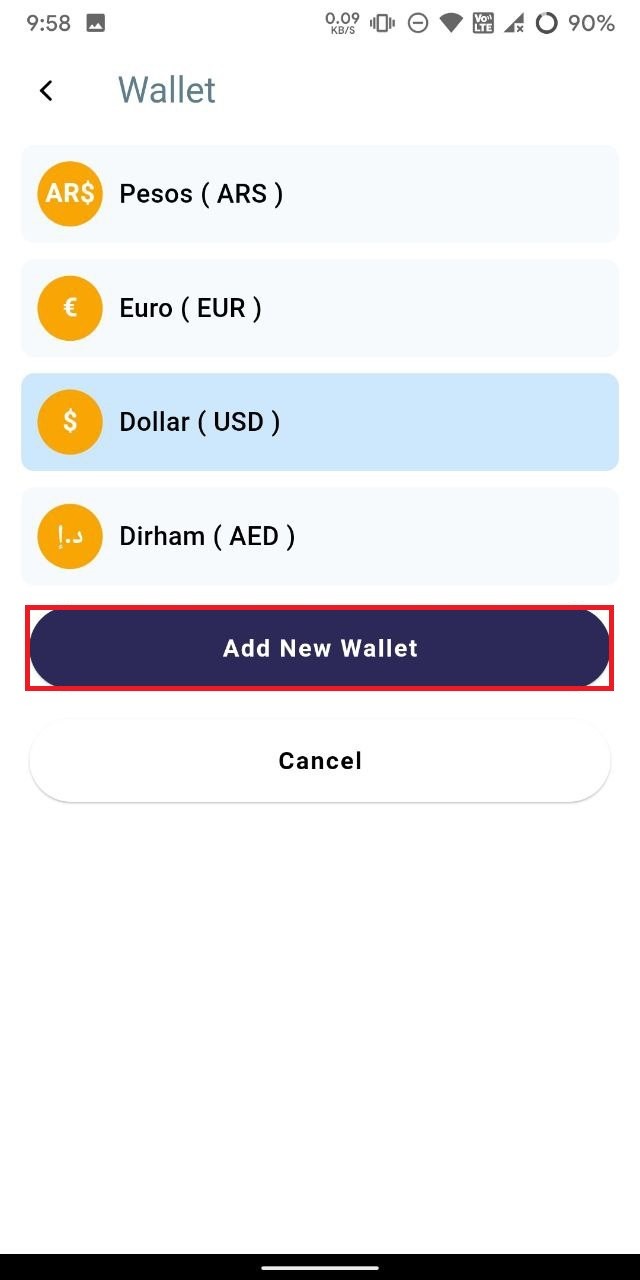
- Select the currency for the new wallet, then click on "Add New Wallet" to create the wallet for the selected currency. Alternatively, you can select "Cancel" to discard adding a new wallet.
    
    <div class="w-full pt-2 md:pt-0 dark:border-white/20 md:border-transparent md:dark:border-transparent md:w-[calc(100%-.5rem)]"><form class="stretch mx-2 flex flex-row gap-3 last:mb-2 md:mx-4 md:last:mb-6 lg:mx-auto lg:max-w-2xl xl:max-w-3xl"></form></div><div class="w-full text-token-text-primary" data-testid="conversation-turn-514"><div class="px-4 py-2 justify-center text-base md:gap-6 m-auto"><div class="flex flex-1 text-base mx-auto gap-3 md:px-5 lg:px-1 xl:px-5 md:max-w-3xl lg:max-w-[40rem] xl:max-w-[48rem] group"></div></div></div>

![photo1711513789.jpeg](https://books.xprizo.com/uploads/images/gallery/2024-03/scaled-1680-/photo1711513789.jpeg)

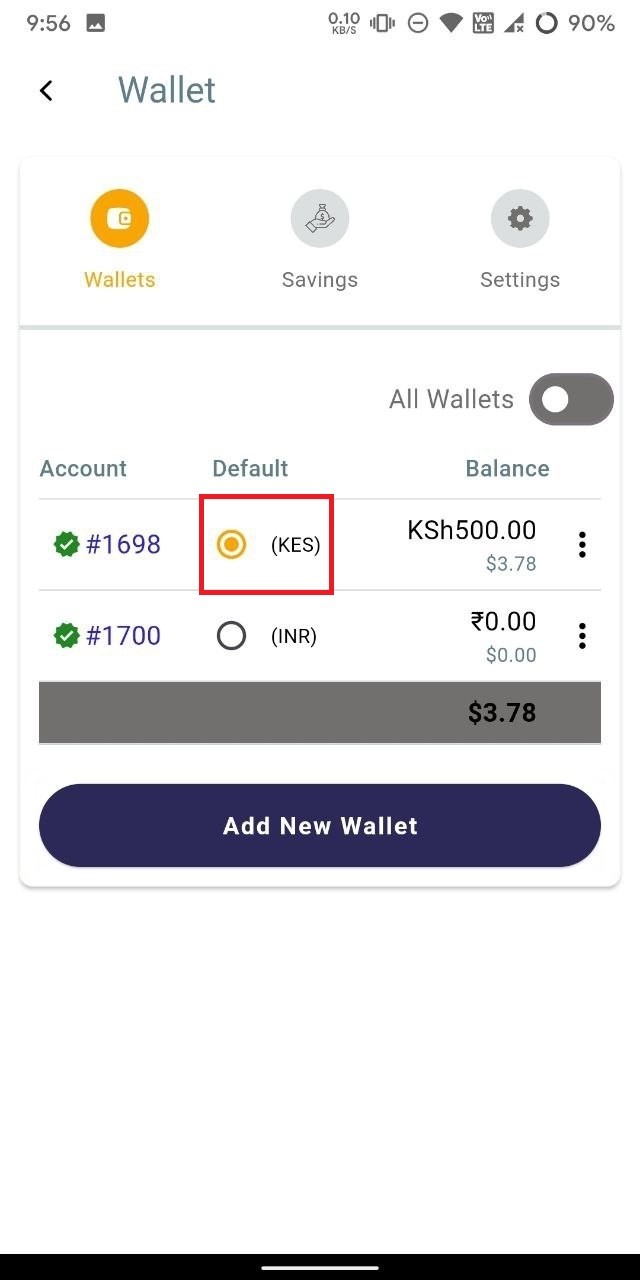
- To set any wallet as the default, simply click on the radio button next to that wallet to designate it for your transaction activities.
    
    <div class="w-full pt-2 md:pt-0 dark:border-white/20 md:border-transparent md:dark:border-transparent md:w-[calc(100%-.5rem)]"><form class="stretch mx-2 flex flex-row gap-3 last:mb-2 md:mx-4 md:last:mb-6 lg:mx-auto lg:max-w-2xl xl:max-w-3xl"></form></div>

![photo1711513789 (3).jpeg](https://books.xprizo.com/uploads/images/gallery/2024-03/scaled-1680-/AUXphoto1711513789-3.jpeg)

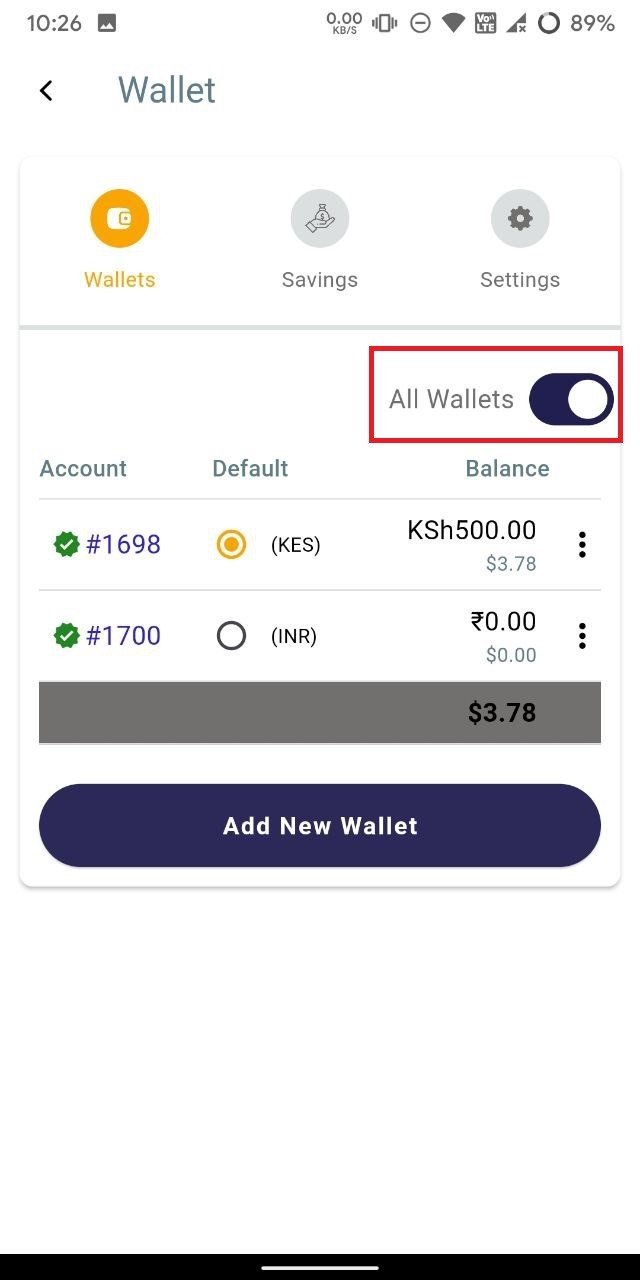
- To view all wallets, toggle the "All Wallets" button to the "on" position to display all available wallets.
    
    <div class="w-full pt-2 md:pt-0 dark:border-white/20 md:border-transparent md:dark:border-transparent md:w-[calc(100%-.5rem)]"><form class="stretch mx-2 flex flex-row gap-3 last:mb-2 md:mx-4 md:last:mb-6 lg:mx-auto lg:max-w-2xl xl:max-w-3xl"></form></div>

![photo1711515495.jpeg](https://books.xprizo.com/uploads/images/gallery/2024-03/scaled-1680-/photo1711515495.jpeg)