# How to Request Payment from another user?

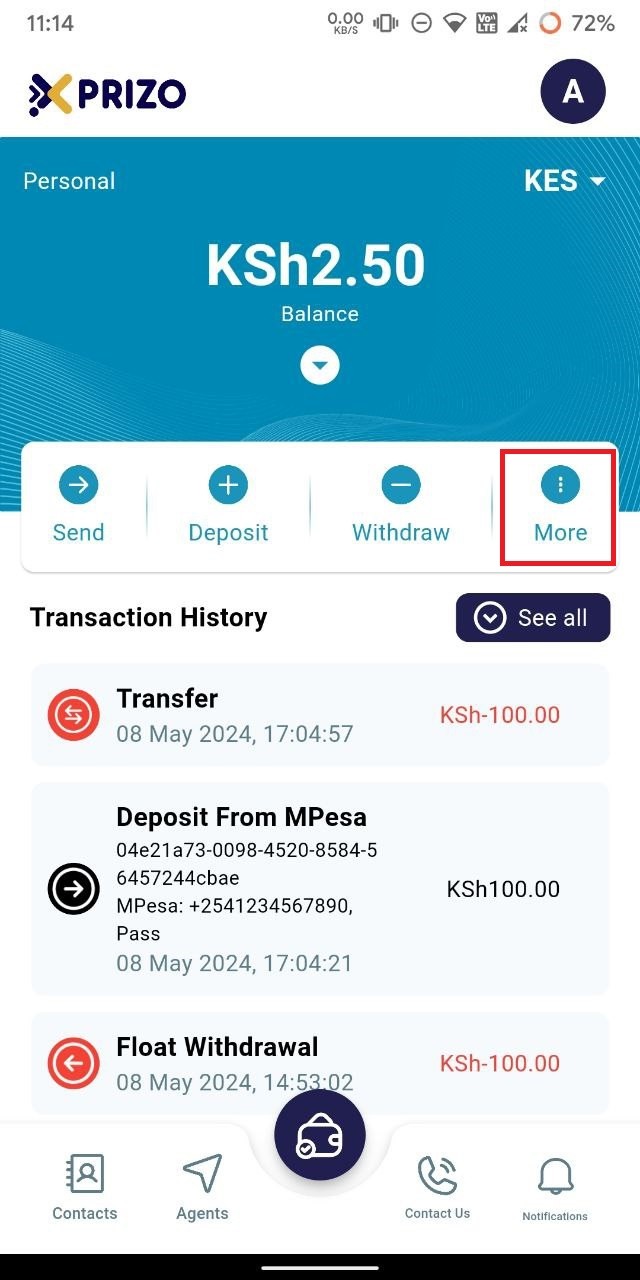
- Log in to your app using your credentials and click on the "More" ellipsis button.
    
    <div class="mt-1 flex gap-3 empty:hidden juice:-ml-3"><div class="items-center justify-start rounded-xl p-1 flex"></div></div>

![photo1716961900.jpeg](https://books.xprizo.com/uploads/images/gallery/2024-05/scaled-1680-/photo1716961900.jpeg)

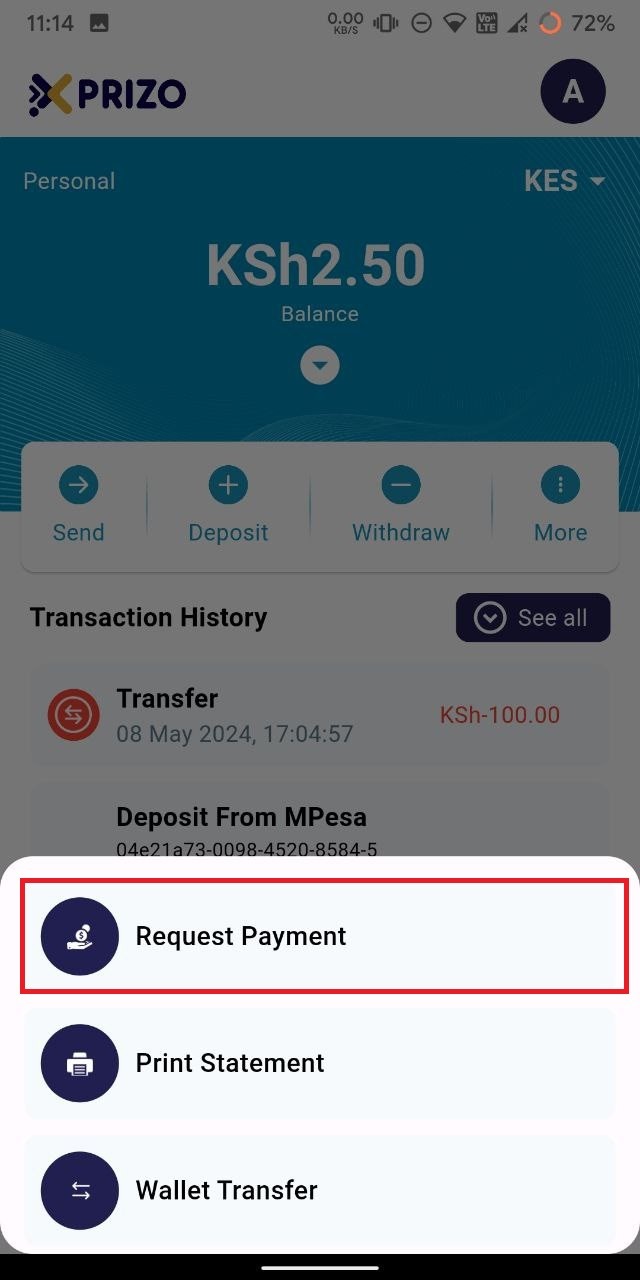
- Next, click on the "Request Payment" button on the bottom card.
    
    <div class="w-full text-token-text-primary" data-scroll-anchor="false" data-testid="conversation-turn-54" dir="auto"><div class="py-2 juice:py-[18px] px-3 text-base md:px-4 m-auto md:px-5 lg:px-1 xl:px-5"><div class="mx-auto flex flex-1 gap-3 text-base juice:gap-4 juice:md:gap-6 md:max-w-3xl lg:max-w-[40rem] xl:max-w-[48rem]"><div class="group/conversation-turn relative flex w-full min-w-0 flex-col"><div class="flex-col gap-1 md:gap-3"><div class="flex flex-grow flex-col max-w-full"></div></div></div></div></div></div>

![photo1716961900 (1).jpeg](https://books.xprizo.com/uploads/images/gallery/2024-05/scaled-1680-/photo1716961900-1.jpeg)

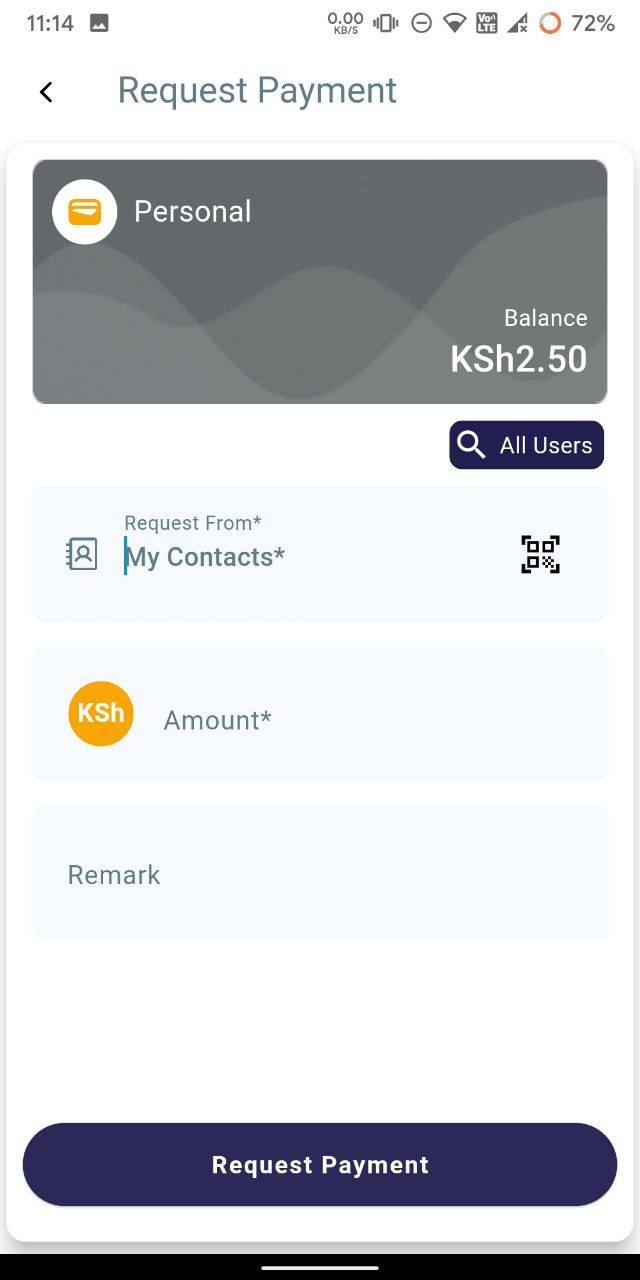
- Then, search for the user in your contact list. If the user is not added, click on the search icon at the top to find them.
    
    <div class="mt-1 flex gap-3 empty:hidden juice:-ml-3"><div class="items-center justify-start rounded-xl p-1 flex"></div></div>

![photo1716961900 (2).jpeg](https://books.xprizo.com/uploads/images/gallery/2024-05/scaled-1680-/photo1716961900-2.jpeg)

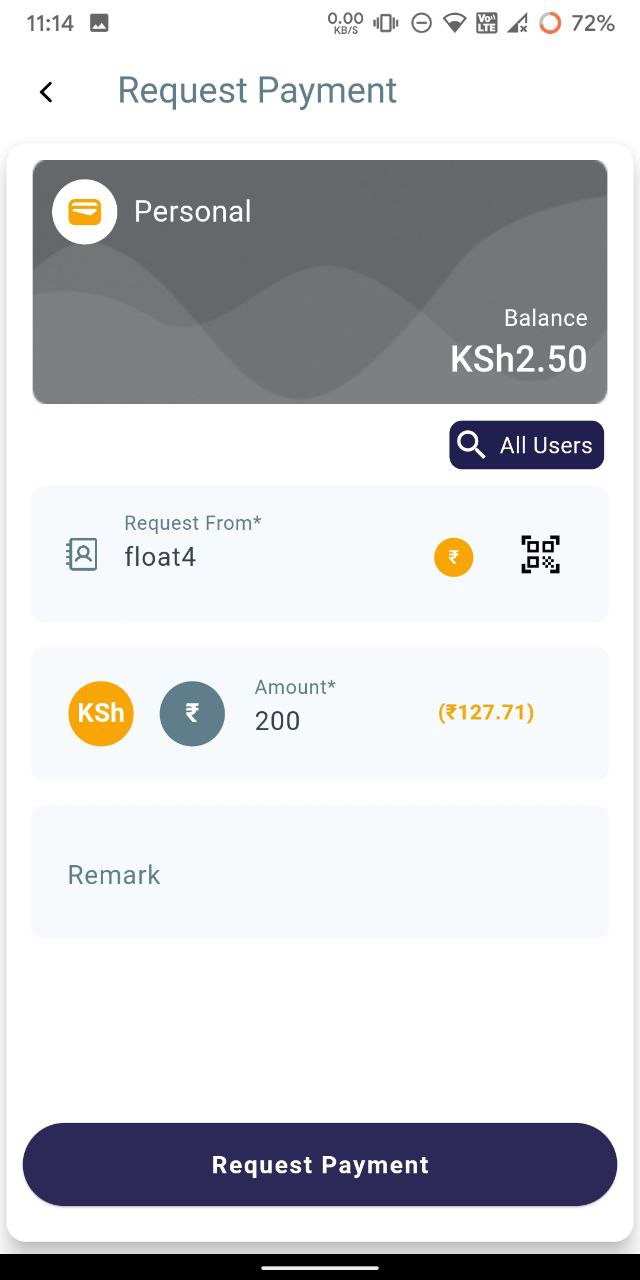
- Then enter the amount you want to request from the user. You can also add a remark if you wish.
    
    <div class="mt-1 flex gap-3 empty:hidden juice:-ml-3"><div class="items-center justify-start rounded-xl p-1 flex"></div></div>

![photo1716961900 (3).jpeg](https://books.xprizo.com/uploads/images/gallery/2024-05/scaled-1680-/photo1716961900-3.jpeg)

- Once done, click on "Request Payment" to request the entered amount from the user.
    
    <div class="mt-1 flex gap-3 empty:hidden juice:-ml-3"><div class="items-center justify-start rounded-xl p-1 flex"></div></div>

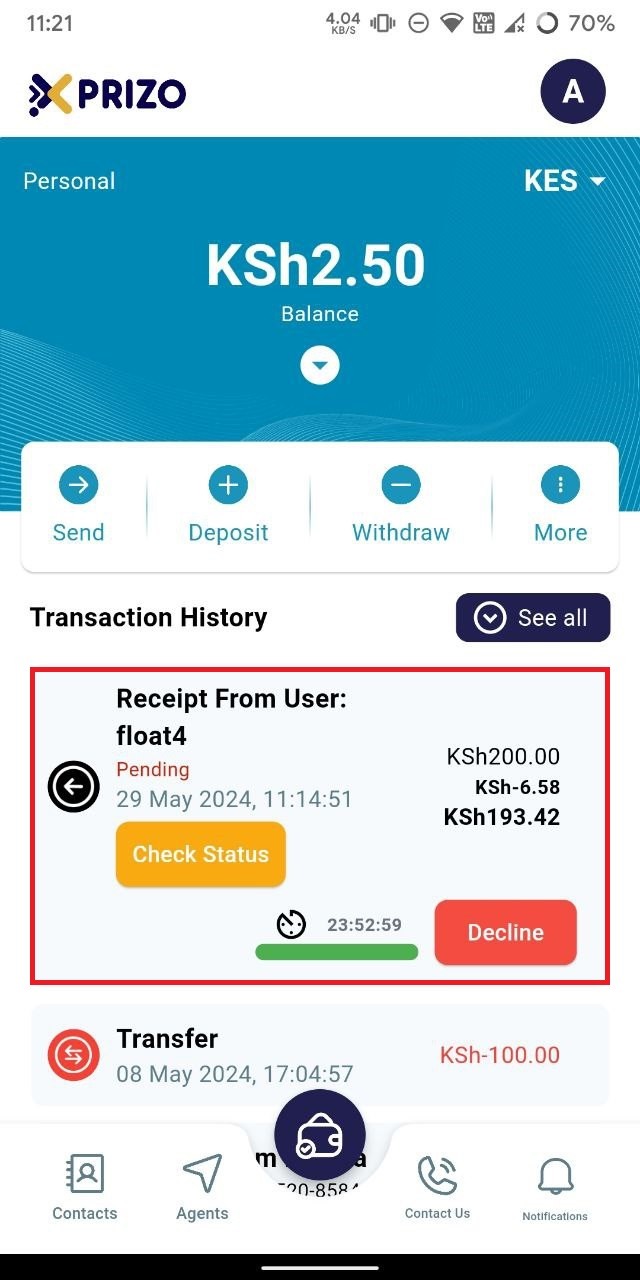
- You will then be redirected to the dashboard screen, where you will see the requested transaction marked as pending.
    
    <div class="mt-1 flex gap-3 empty:hidden juice:-ml-3"><div class="items-center justify-start rounded-xl p-1 flex"></div></div>

![photo1716961918.jpeg](https://books.xprizo.com/uploads/images/gallery/2024-05/scaled-1680-/photo1716961918.jpeg)

- Once approved by the user, the amount will be added to your wallet.
    
    <div class="mt-1 flex gap-3 empty:hidden juice:-ml-3"><div class="items-center justify-start rounded-xl p-1 flex"></div></div>