# How to Top Up Wallet using UPI?

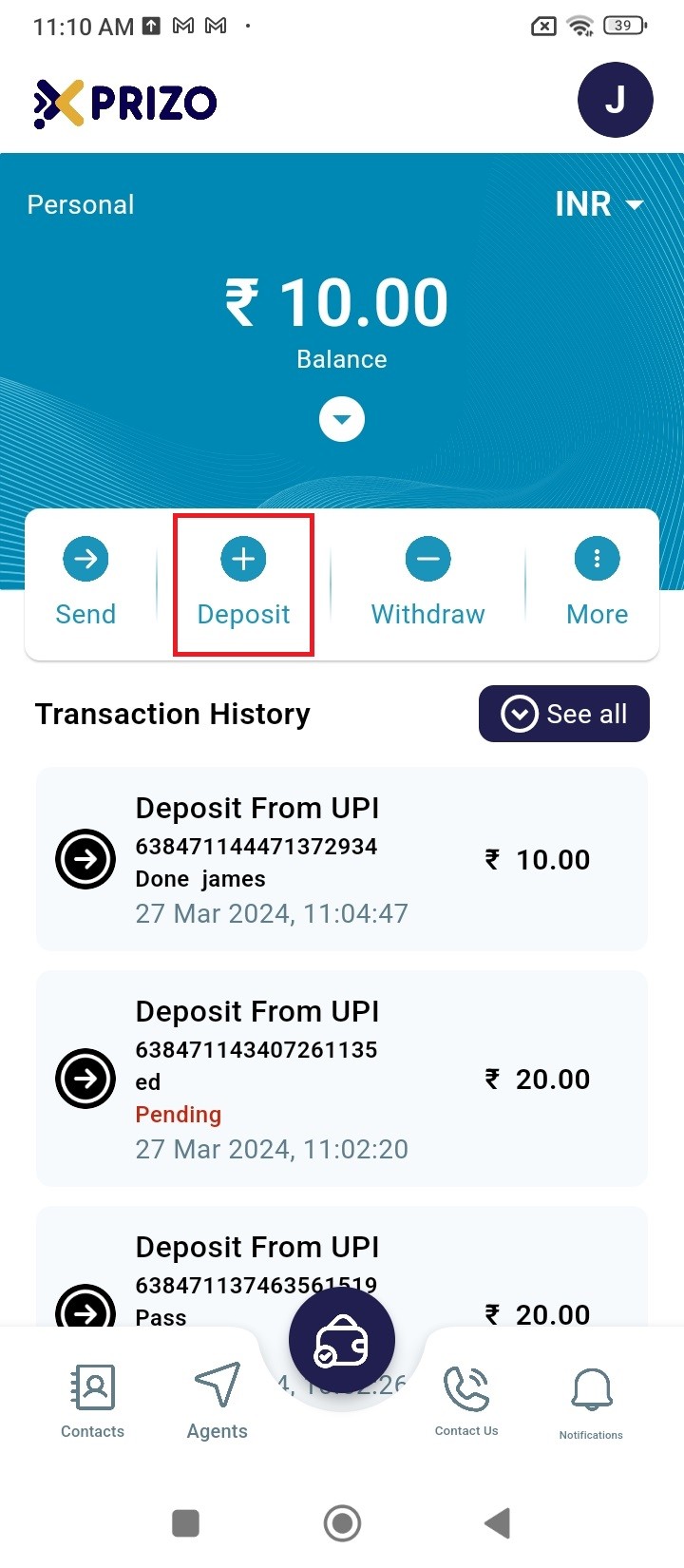
- Sign in to your account with your credentials, then click on "Deposit" to add funds to your wallet.
    
    <div class="w-full pt-2 md:pt-0 dark:border-white/20 md:border-transparent md:dark:border-transparent md:w-[calc(100%-.5rem)]"><form class="stretch mx-2 flex flex-row gap-3 last:mb-2 md:mx-4 md:last:mb-6 lg:mx-auto lg:max-w-2xl xl:max-w-3xl"></form></div>

![processed-c03c8b05-75f8-4b8b-abb9-65de649a429c_HJDcGXpN.jpeg](https://books.xprizo.com/uploads/images/gallery/2024-03/scaled-1680-/processed-c03c8b05-75f8-4b8b-abb9-65de649a429c-hjdcgxpn.jpeg)

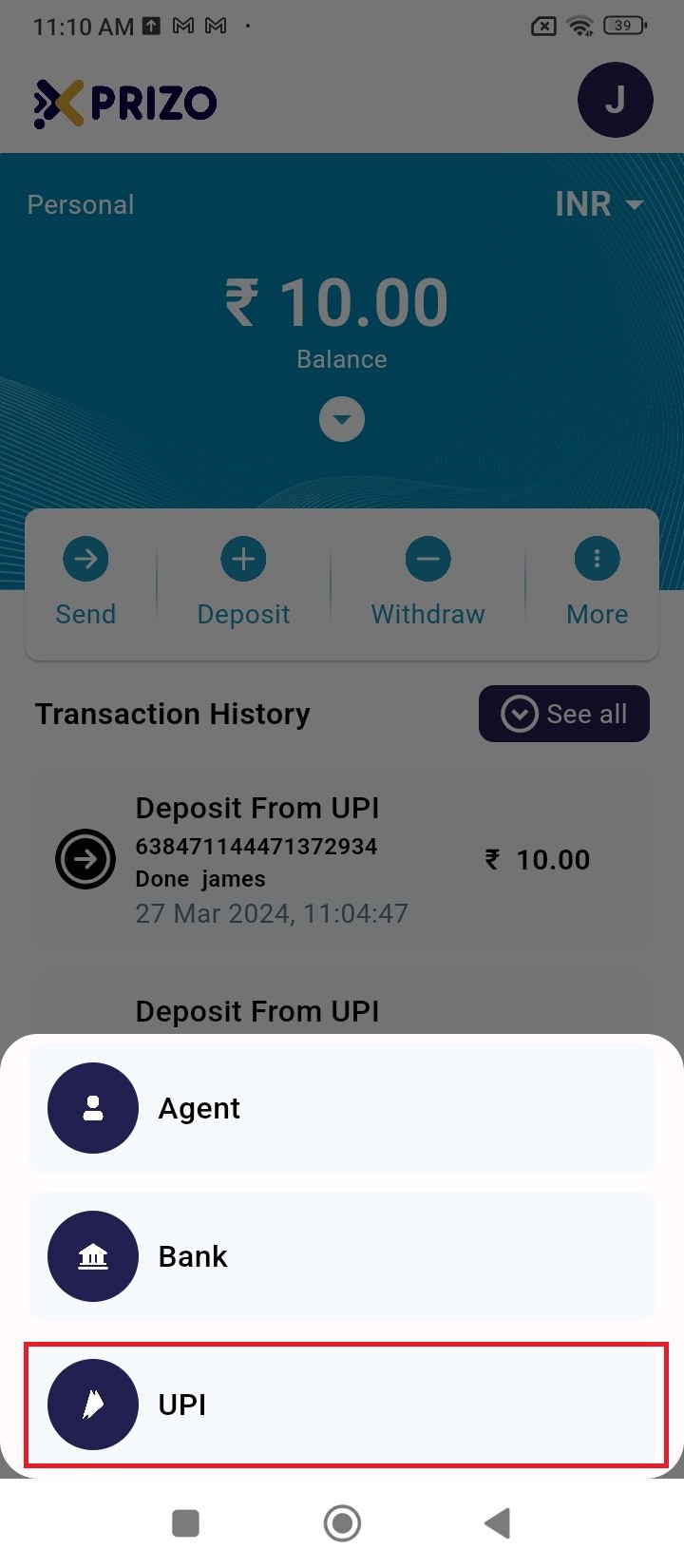
- Choose the UPI option to proceed with the transaction using UPI.
    
    <div class="w-full pt-2 md:pt-0 dark:border-white/20 md:border-transparent md:dark:border-transparent md:w-[calc(100%-.5rem)]"><form class="stretch mx-2 flex flex-row gap-3 last:mb-2 md:mx-4 md:last:mb-6 lg:mx-auto lg:max-w-2xl xl:max-w-3xl"></form></div>

![processed-1edaefc2-9661-4236-812d-6c9fa8e8f4fe_DI2D3Kg4.jpeg](https://books.xprizo.com/uploads/images/gallery/2024-03/scaled-1680-/processed-1edaefc2-9661-4236-812d-6c9fa8e8f4fe-di2d3kg4.jpeg)

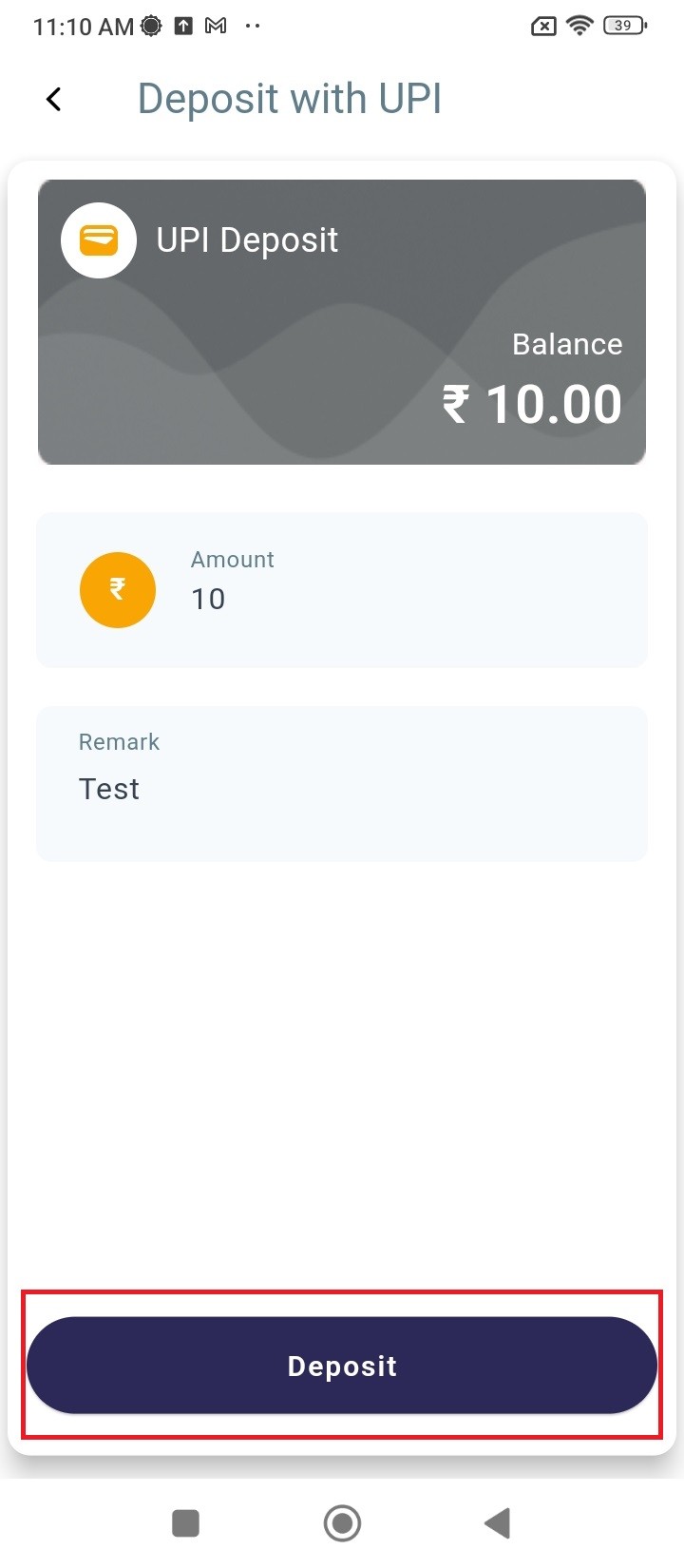
- Enter the desired amount and add a remark with it as well and then click Deposit to proceed ahead.
![processed-e40e3bc9-bacc-44d2-9db4-af1db5847d6f_3EMWoaSN.jpeg](https://books.xprizo.com/uploads/images/gallery/2024-03/scaled-1680-/processed-e40e3bc9-bacc-44d2-9db4-af1db5847d6f-3emwoasn.jpeg)

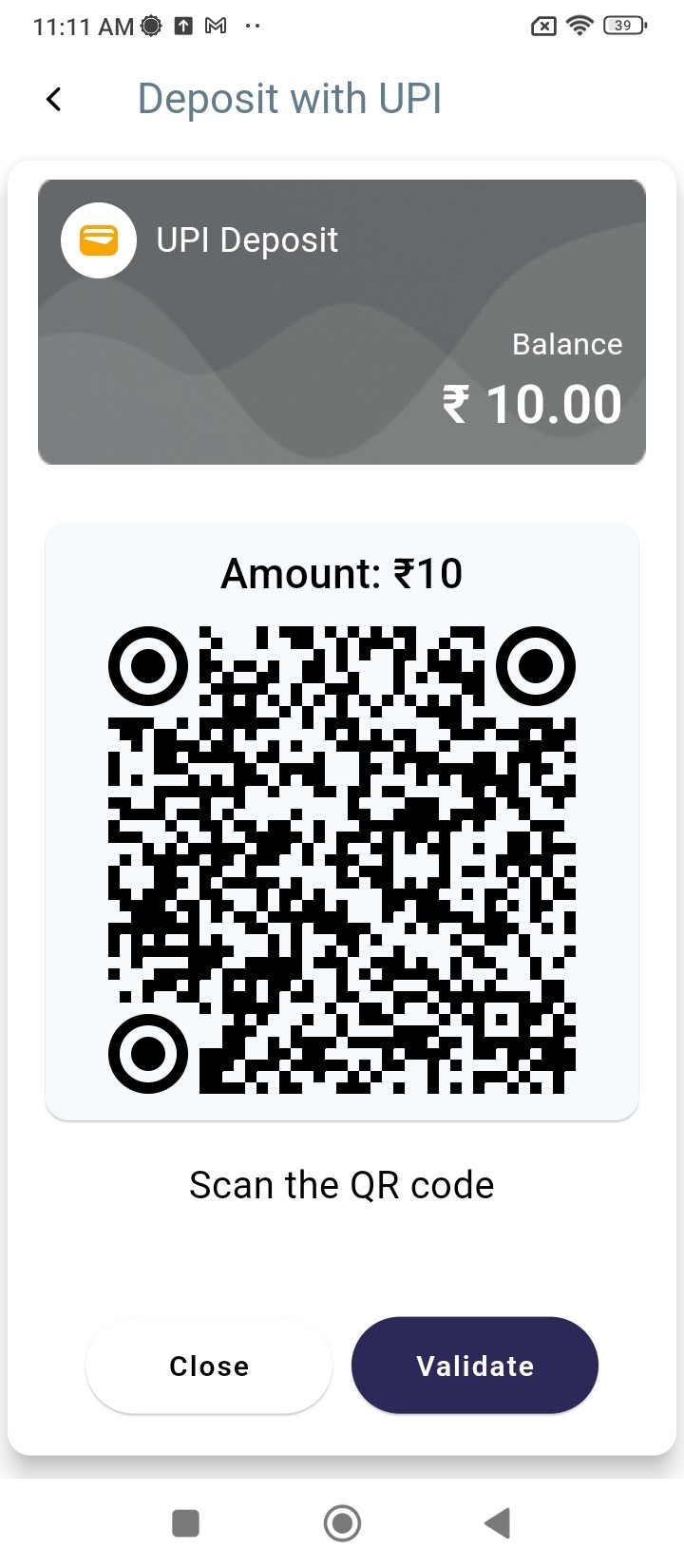
- Then, scan the QR code using your banking mobile application to transfer funds from your bank account to your Xprizo wallet.
![processed-e5b3ddd9-4530-4938-bfdd-6e4a695ec2ec_F4ZnRte7 (1).jpeg](https://books.xprizo.com/uploads/images/gallery/2024-03/scaled-1680-/processed-e5b3ddd9-4530-4938-bfdd-6e4a695ec2ec-f4znrte7-1.jpeg)

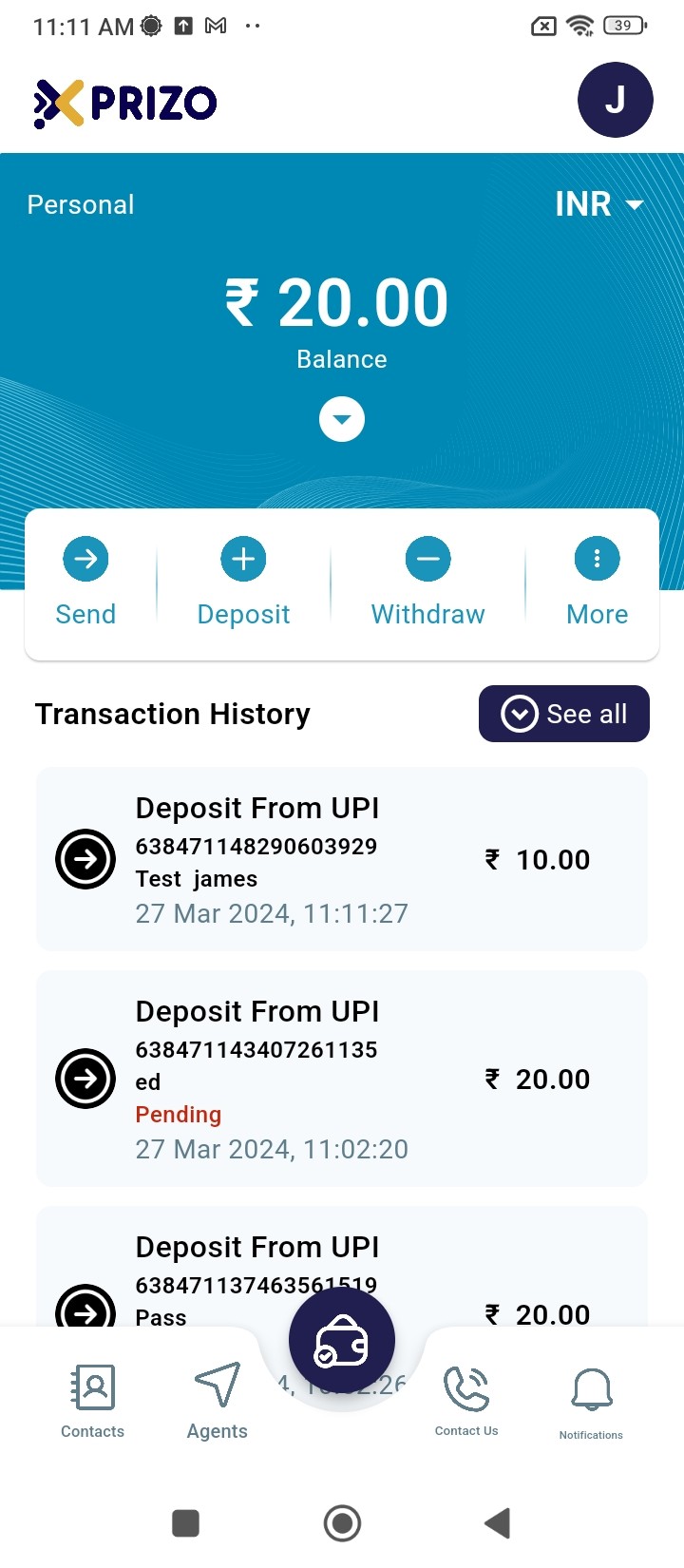
- After the payment is completed, you can click on the "Validate" button to confirm whether the transaction has been completed.
![processed-92a5ae0e-45eb-4dc9-895b-8c15be5b374d_tfMbMJG7.jpeg](https://books.xprizo.com/uploads/images/gallery/2024-03/scaled-1680-/processed-92a5ae0e-45eb-4dc9-895b-8c15be5b374d-tfmbmjg7.jpeg)

- Alternatively, you can click on "Close" to exit the QR code screen and return to the home screen.