# How to use Wallet Transfer?

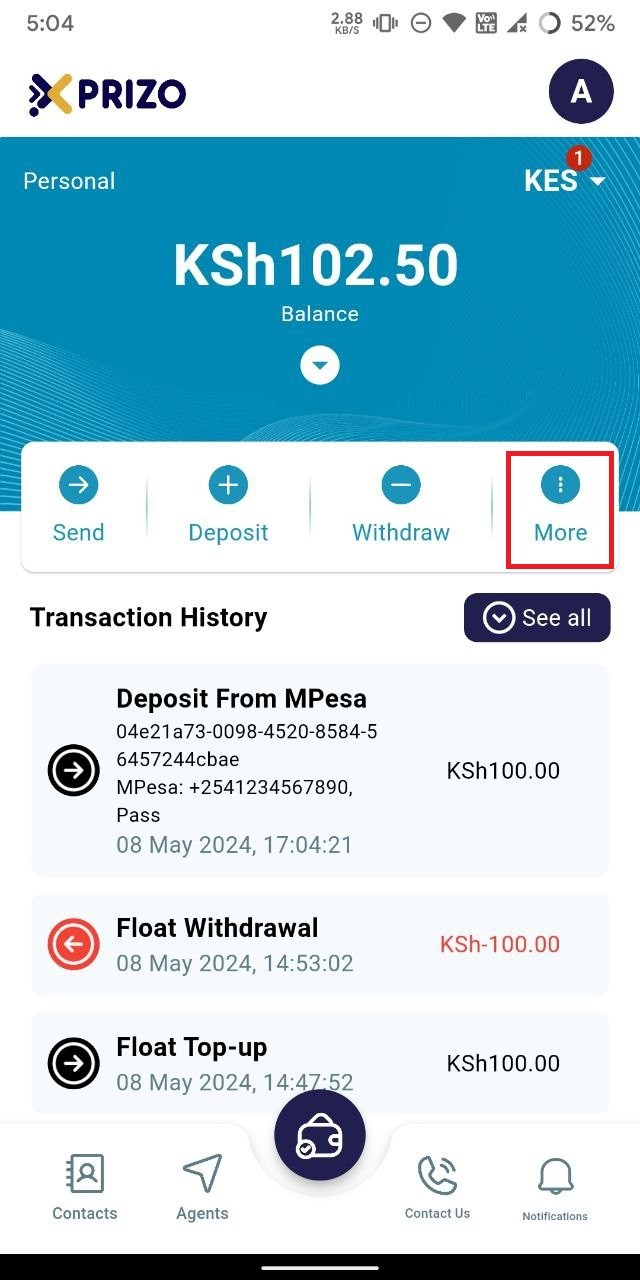
- Sign in to your app using your credentials and tap on the "More" ellipsis button.
    
    <div class="w-full text-token-text-primary" data-scroll-anchor="false" data-testid="conversation-turn-1034" dir="auto"></div>

![photo1715168143.jpeg](https://books.xprizo.com/uploads/images/gallery/2024-05/scaled-1680-/photo1715168143.jpeg)

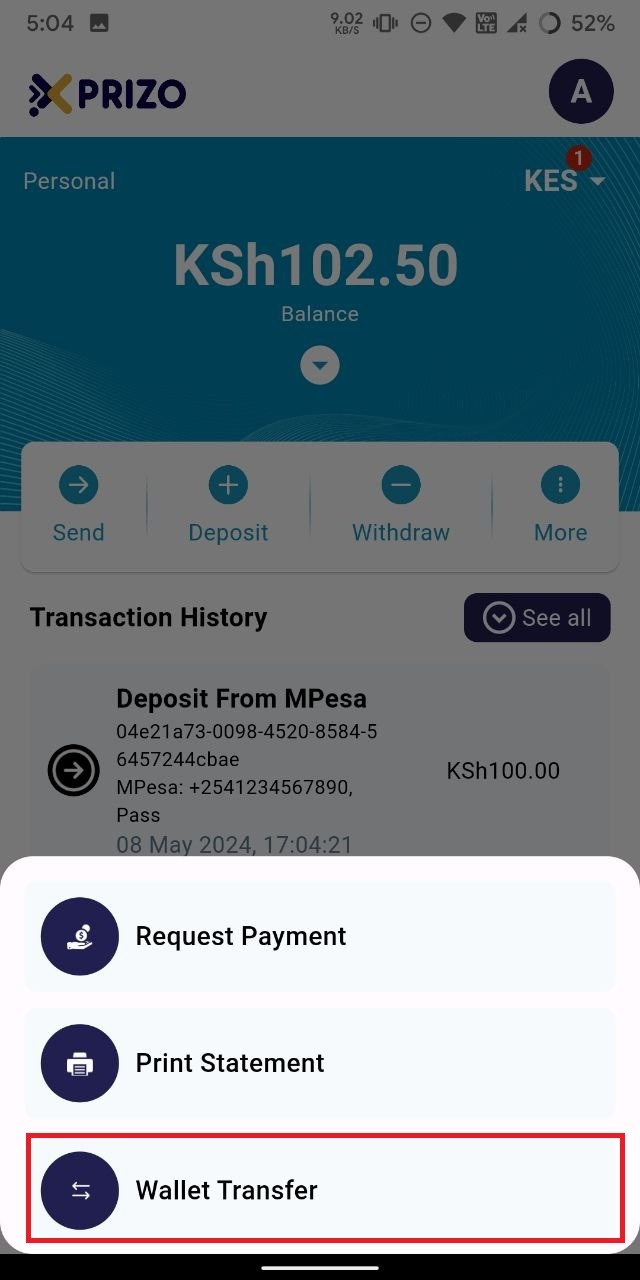
- Next, choose "Wallet Transfer" to initiate a transfer between wallets.
    
    <div class="w-full text-token-text-primary" data-scroll-anchor="false" data-testid="conversation-turn-1036" dir="auto"></div>

![photo1715168143 (1).jpeg](https://books.xprizo.com/uploads/images/gallery/2024-05/scaled-1680-/photo1715168143-1.jpeg)

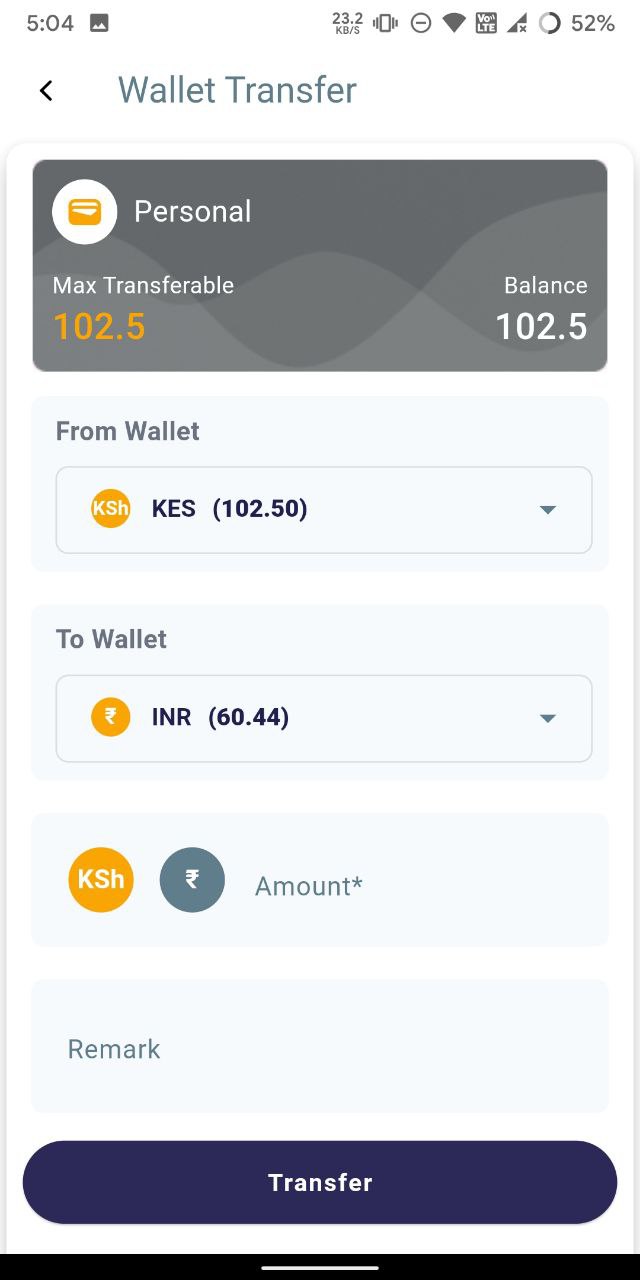
- Afterward, choose a wallet from the dropdown menu to transfer funds from and another wallet to transfer funds to.
    
    <div class="w-full text-token-text-primary" data-scroll-anchor="false" data-testid="conversation-turn-1040" dir="auto"></div>

![photo1715168143 (2).jpeg](https://books.xprizo.com/uploads/images/gallery/2024-05/scaled-1680-/photo1715168143-2.jpeg)

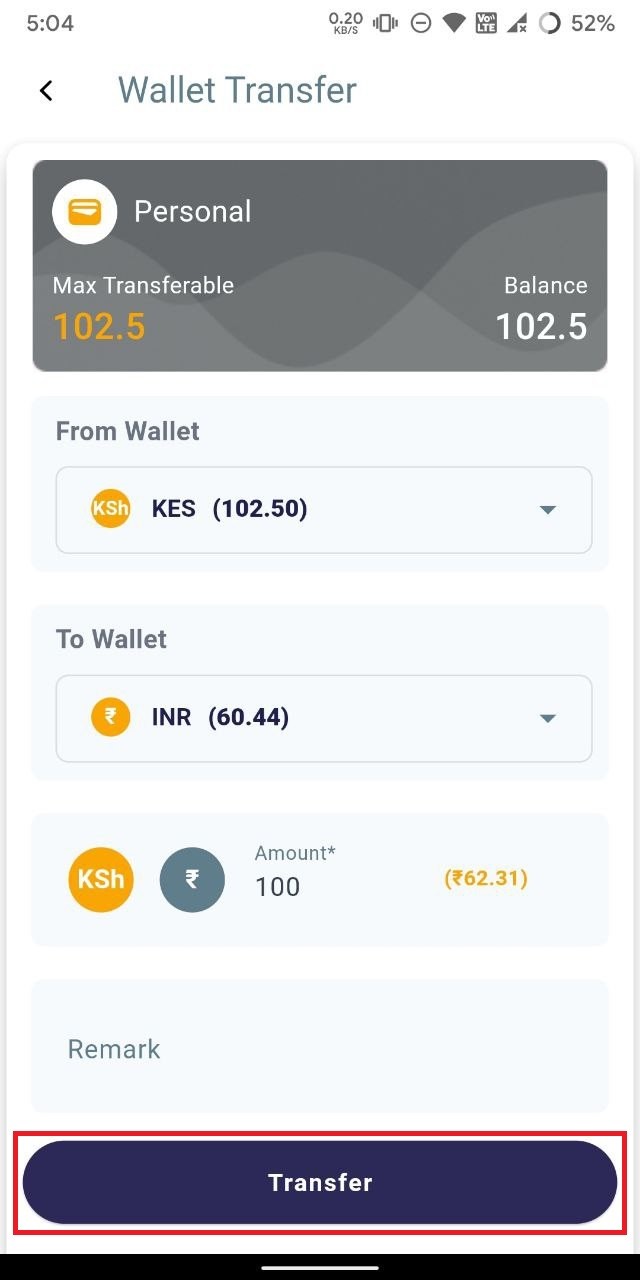
- Once you've entered the amount in the designated field and optionally added a remark, click "Transfer" to initiate the transfer of funds from one wallet to another.
    
    <div class="w-full text-token-text-primary" data-scroll-anchor="false" data-testid="conversation-turn-1042" dir="auto"></div>

![photo1715168143 (3).jpeg](https://books.xprizo.com/uploads/images/gallery/2024-05/scaled-1680-/photo1715168143-3.jpeg)

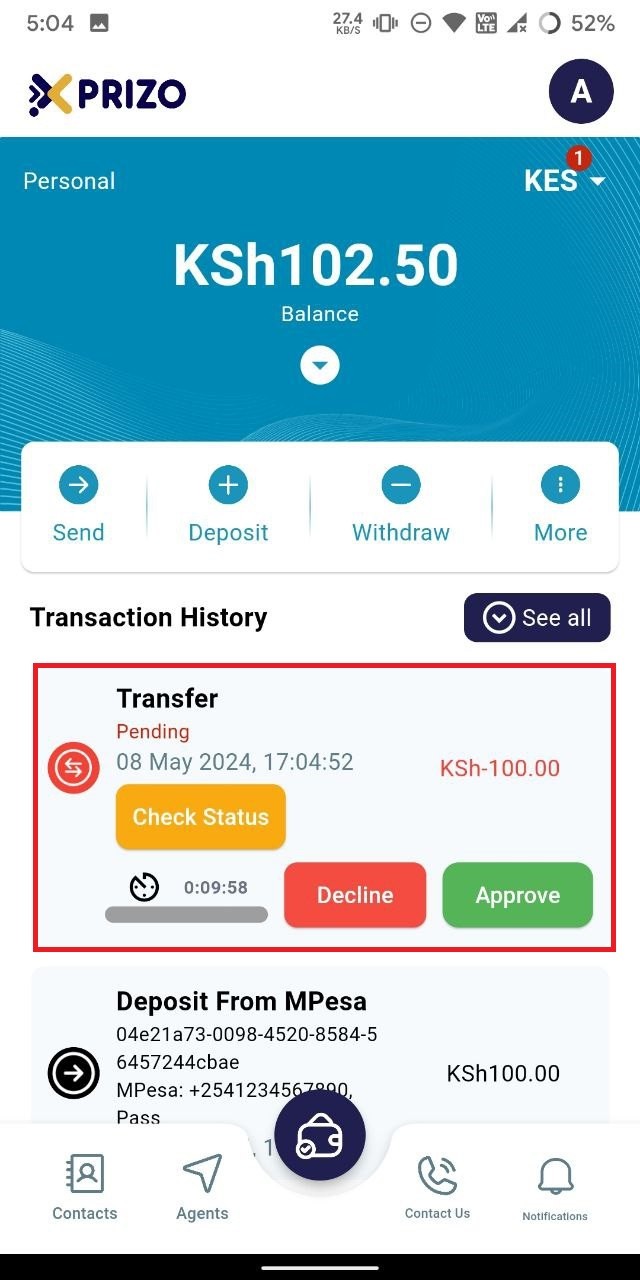
- After initiating the transfer, you'll be redirected to your agent wallet screen, where you'll find the pending transaction in your transaction history. Click "Approve" to confirm the transaction, or "Decline" to cancel it.
    
    <div class="w-full text-token-text-primary" data-scroll-anchor="false" data-testid="conversation-turn-1044" dir="auto"></div>

![photo1715168143 (4).jpeg](https://books.xprizo.com/uploads/images/gallery/2024-05/scaled-1680-/photo1715168143-4.jpeg)

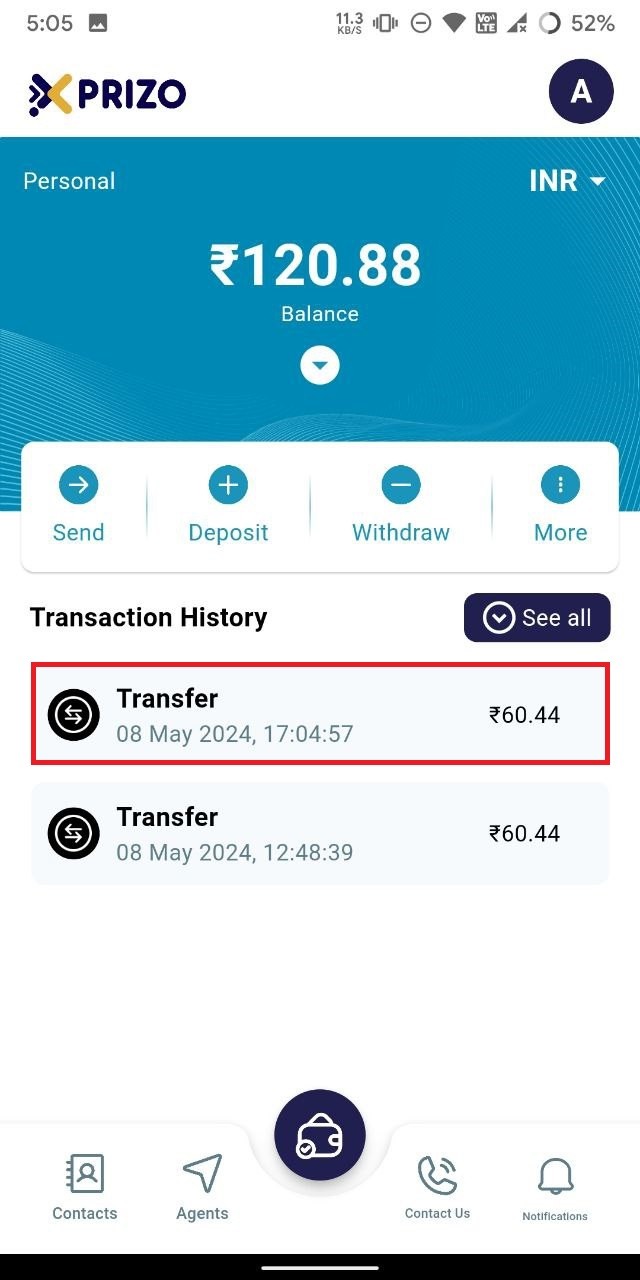
- Once approved, the funds will be transferred from one of your wallets to the other.
![photo1715168143 (6).jpeg](https://books.xprizo.com/uploads/images/gallery/2024-05/scaled-1680-/photo1715168143-6.jpeg)