# User Details

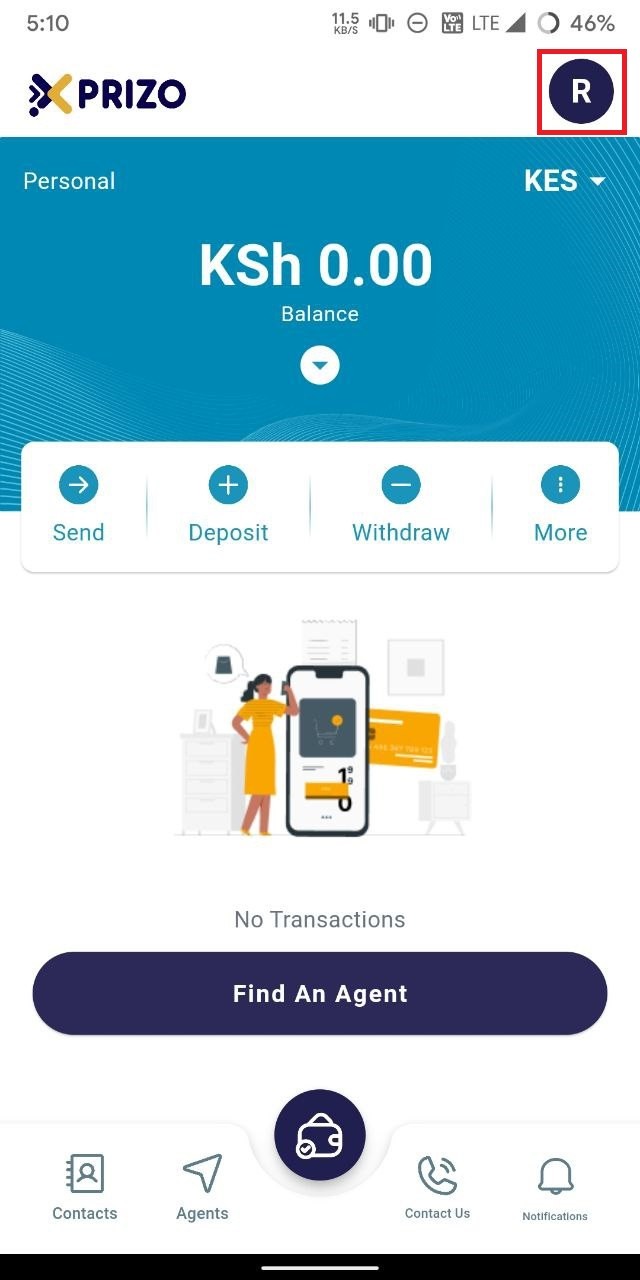
- To complete your details, click on the profile picture button located at the top right corner, and then navigate to account settings.
    
    <div class="w-full pt-2 md:pt-0 dark:border-white/20 md:border-transparent md:dark:border-transparent md:w-[calc(100%-.5rem)]"><form class="stretch mx-2 flex flex-row gap-3 last:mb-2 md:mx-4 md:last:mb-6 lg:mx-auto lg:max-w-2xl xl:max-w-3xl"></form></div>

![photo1710934963.jpeg](https://books.xprizo.com/uploads/images/gallery/2024-03/scaled-1680-/photo1710934963.jpeg)

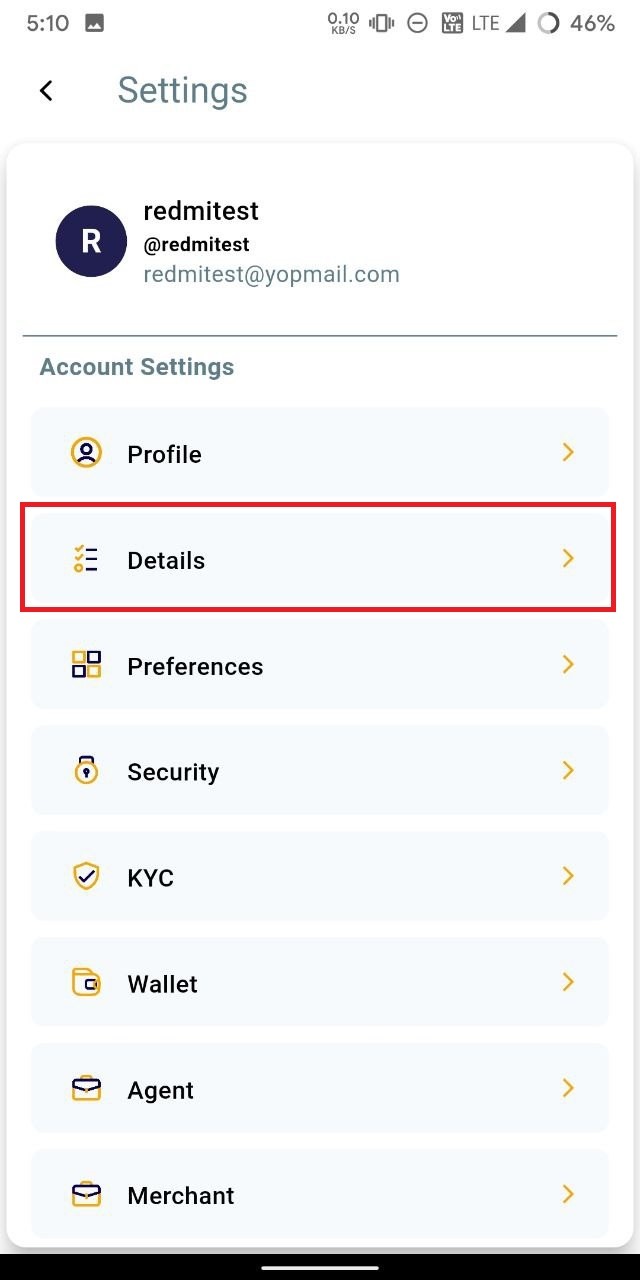
- Click on "Details" to access the details section of your profile.
    
    <div class="w-full pt-2 md:pt-0 dark:border-white/20 md:border-transparent md:dark:border-transparent md:w-[calc(100%-.5rem)]"><form class="stretch mx-2 flex flex-row gap-3 last:mb-2 md:mx-4 md:last:mb-6 lg:mx-auto lg:max-w-2xl xl:max-w-3xl"></form></div>

![photo1710934963 (1).jpeg](https://books.xprizo.com/uploads/images/gallery/2024-03/scaled-1680-/photo1710934963-1.jpeg)

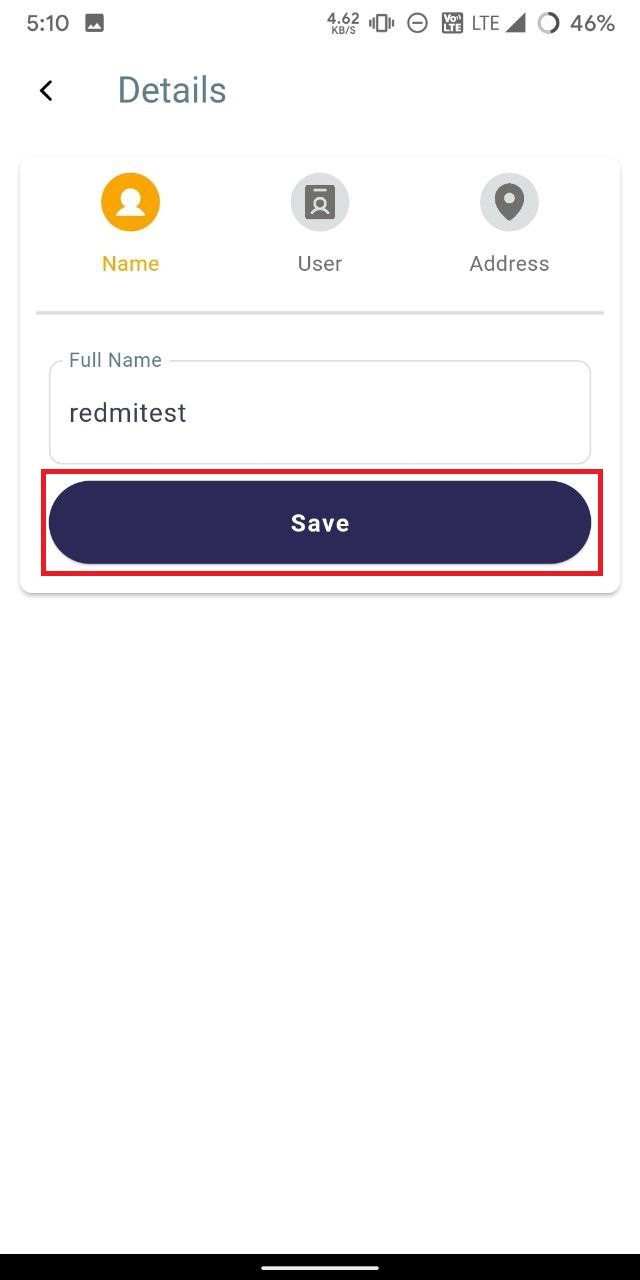
- To update your name, click on the "Name" tab above, enter the new name in the "Full Name" text field, and then click on "Save" to save your changes.
    
    <div class="w-full pt-2 md:pt-0 dark:border-white/20 md:border-transparent md:dark:border-transparent md:w-[calc(100%-.5rem)]"><form class="stretch mx-2 flex flex-row gap-3 last:mb-2 md:mx-4 md:last:mb-6 lg:mx-auto lg:max-w-2xl xl:max-w-3xl"></form></div>

![photo1710934963 (2).jpeg](https://books.xprizo.com/uploads/images/gallery/2024-03/scaled-1680-/photo1710934963-2.jpeg)

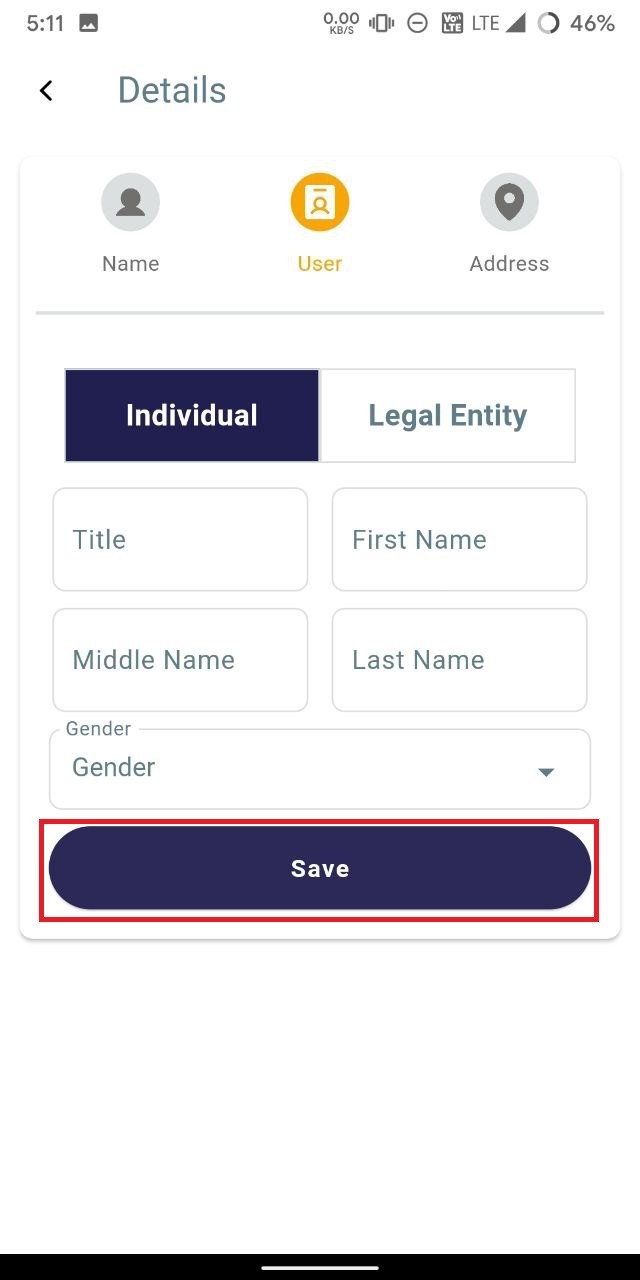
- To update user details, navigate to the "User" tab, and enter the required information. If you're updating details for an individual, select the "Individual" tab; for a legal entity, choose the "Legal entity" tab. Enter the relevant details and click "Save" to confirm the changes.
    
    <div class="w-full pt-2 md:pt-0 dark:border-white/20 md:border-transparent md:dark:border-transparent md:w-[calc(100%-.5rem)]"><form class="stretch mx-2 flex flex-row gap-3 last:mb-2 md:mx-4 md:last:mb-6 lg:mx-auto lg:max-w-2xl xl:max-w-3xl"></form></div>

![photo1710934963 (3).jpeg](https://books.xprizo.com/uploads/images/gallery/2024-03/scaled-1680-/photo1710934963-3.jpeg)

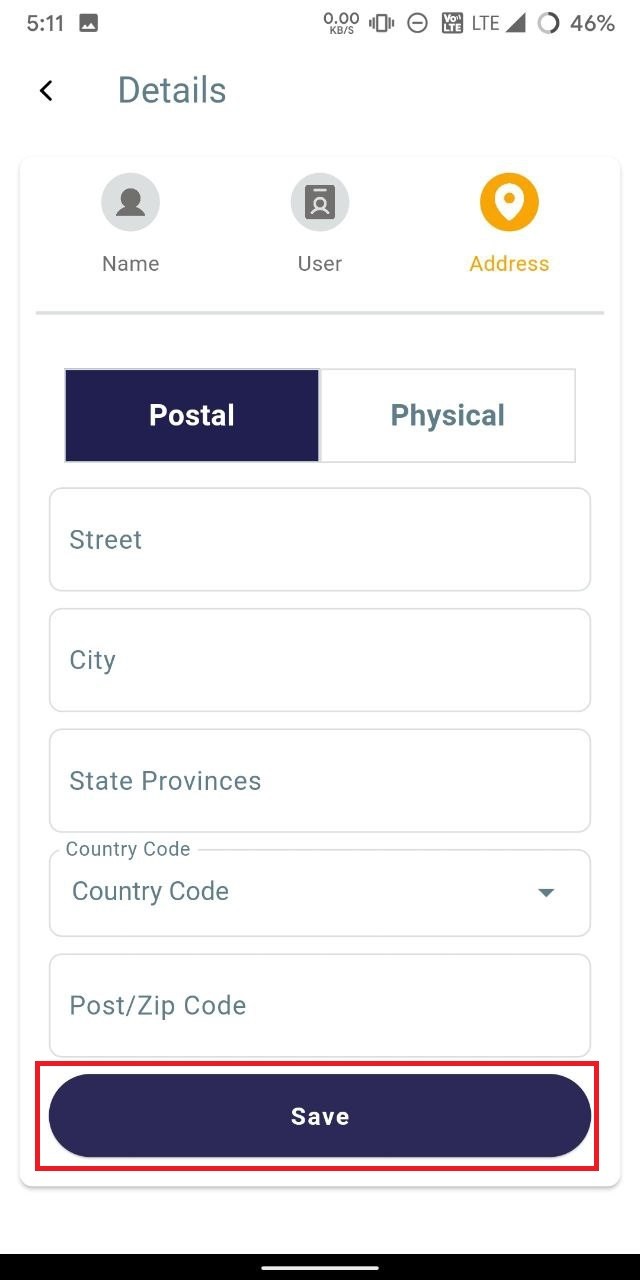
- To update address details, navigate to the "Address" tab and enter the required information. Choose the appropriate tab based on the type of address you're updating - "Postal" for postal address details, or "Physical" for physical address details. Enter the relevant information and click "Save" to confirm the changes.
    
    <div class="w-full pt-2 md:pt-0 dark:border-white/20 md:border-transparent md:dark:border-transparent md:w-[calc(100%-.5rem)]"><form class="stretch mx-2 flex flex-row gap-3 last:mb-2 md:mx-4 md:last:mb-6 lg:mx-auto lg:max-w-2xl xl:max-w-3xl"></form></div>

![photo1710934963 (4).jpeg](https://books.xprizo.com/uploads/images/gallery/2024-03/scaled-1680-/photo1710934963-4.jpeg)