# How to Add a New Wallet?

### <span style="font-size: 13.999999999999998pt; font-family: Arial,sans-serif; color: #434343; background-color: transparent; font-weight: bold; font-style: normal; font-variant: normal; text-decoration: none; vertical-align: baseline; white-space: pre-wrap;">Add a New Wallet</span>

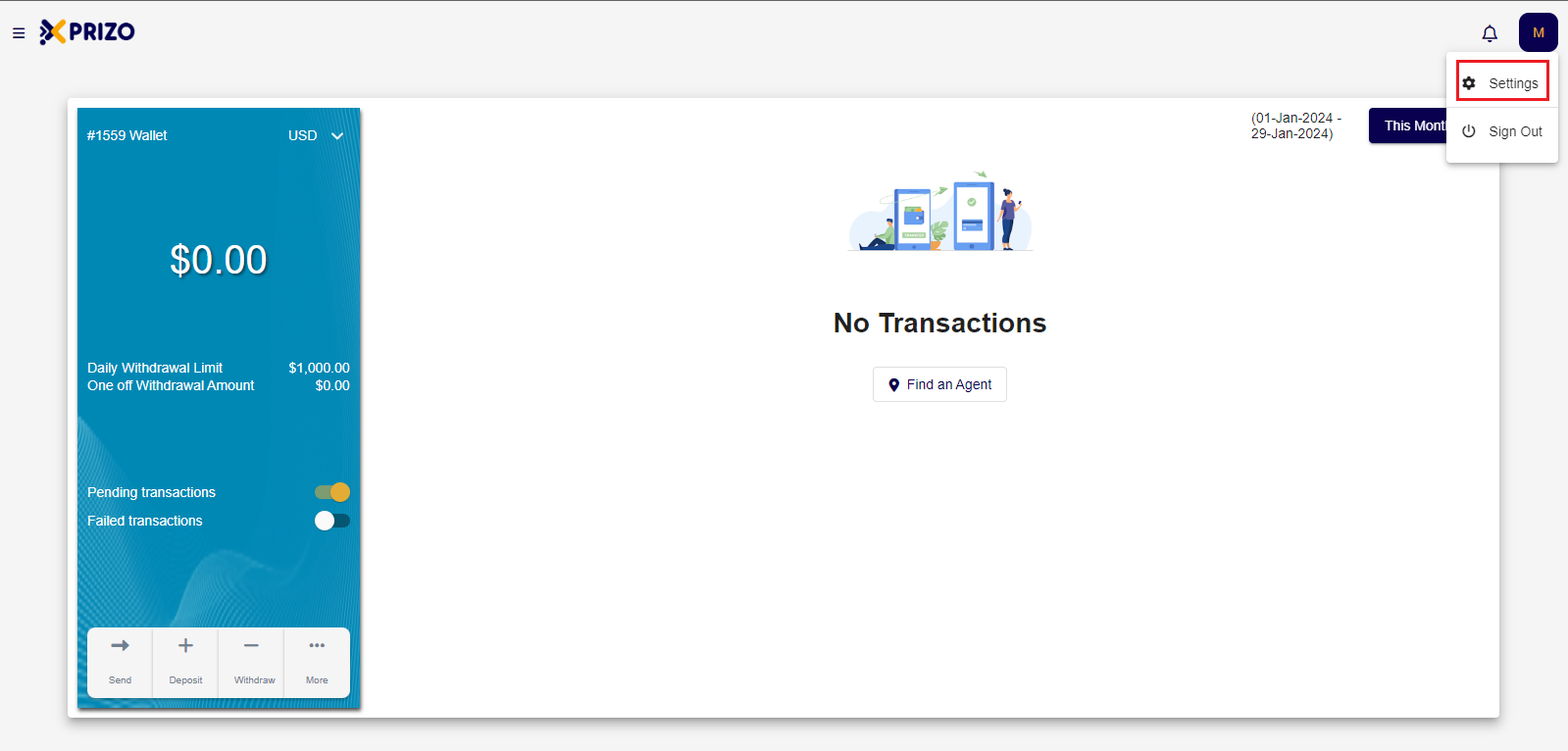
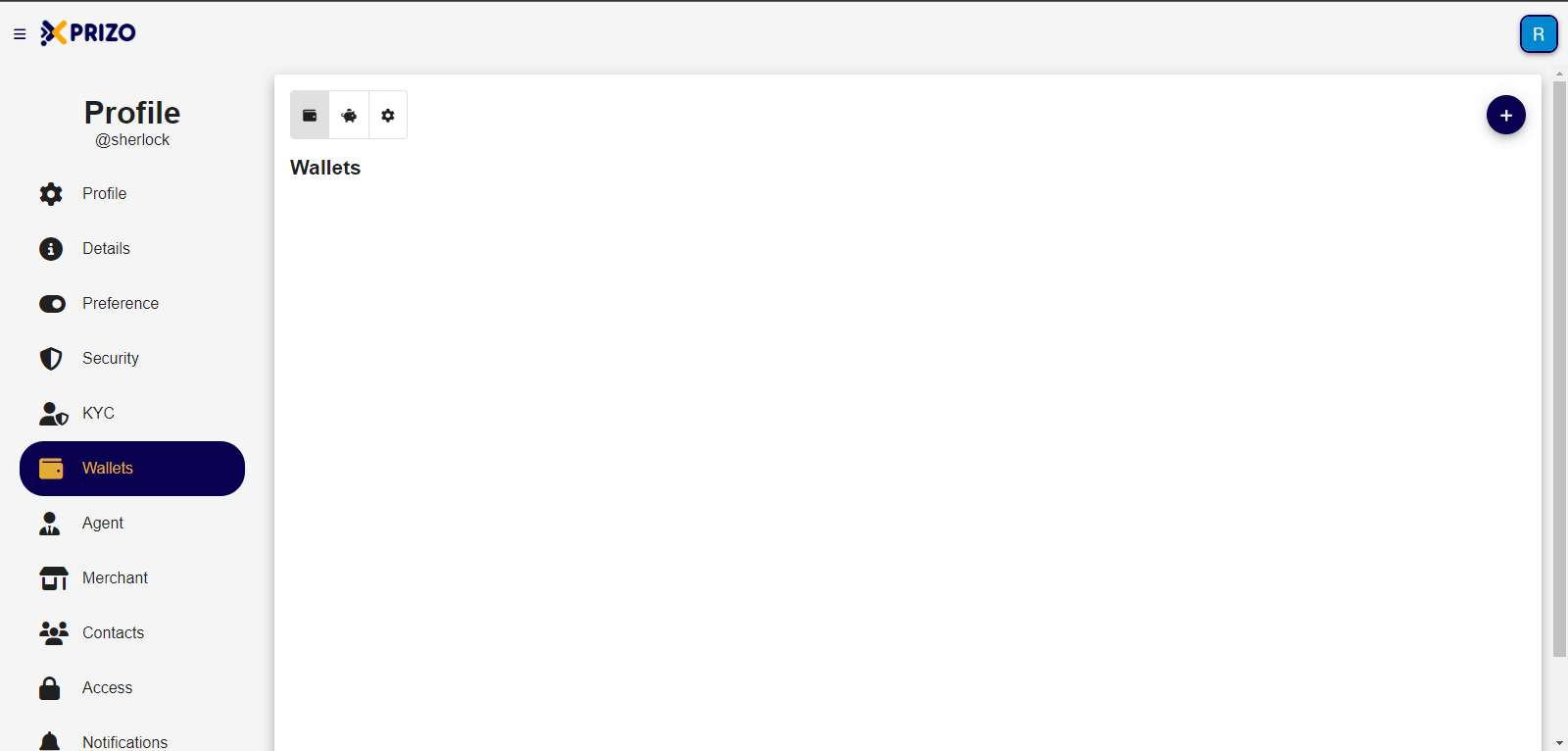
- Login to your account, and go to settings by clicking on the initial of your account in the top right corner.
![Screenshot 2024-01-29 235645.png](https://books.xprizo.com/uploads/images/gallery/2024-01/scaled-1680-/screenshot-2024-01-29-235645.png)

- Switch to the wallet tab to handle added wallets, savings, and adjust settings based on your preferences.
    
    <div class="w-full pt-2 md:pt-0 dark:border-white/20 md:border-transparent md:dark:border-transparent md:w-[calc(100%-.5rem)]"><form class="stretch mx-2 flex flex-row gap-3 last:mb-2 md:mx-4 md:last:mb-6 lg:mx-auto lg:max-w-2xl xl:max-w-3xl"></form>  
    </div>

<span style="font-size: 11pt; font-family: Arial, sans-serif; background-color: transparent; font-weight: 400; font-style: normal; font-variant: normal; text-wrap: wrap;">![Screenshot 2024-01-10 160153.png](https://books.xprizo.com/uploads/images/gallery/2024-01/scaled-1680-/screenshot-2024-01-10-160153.png)</span>

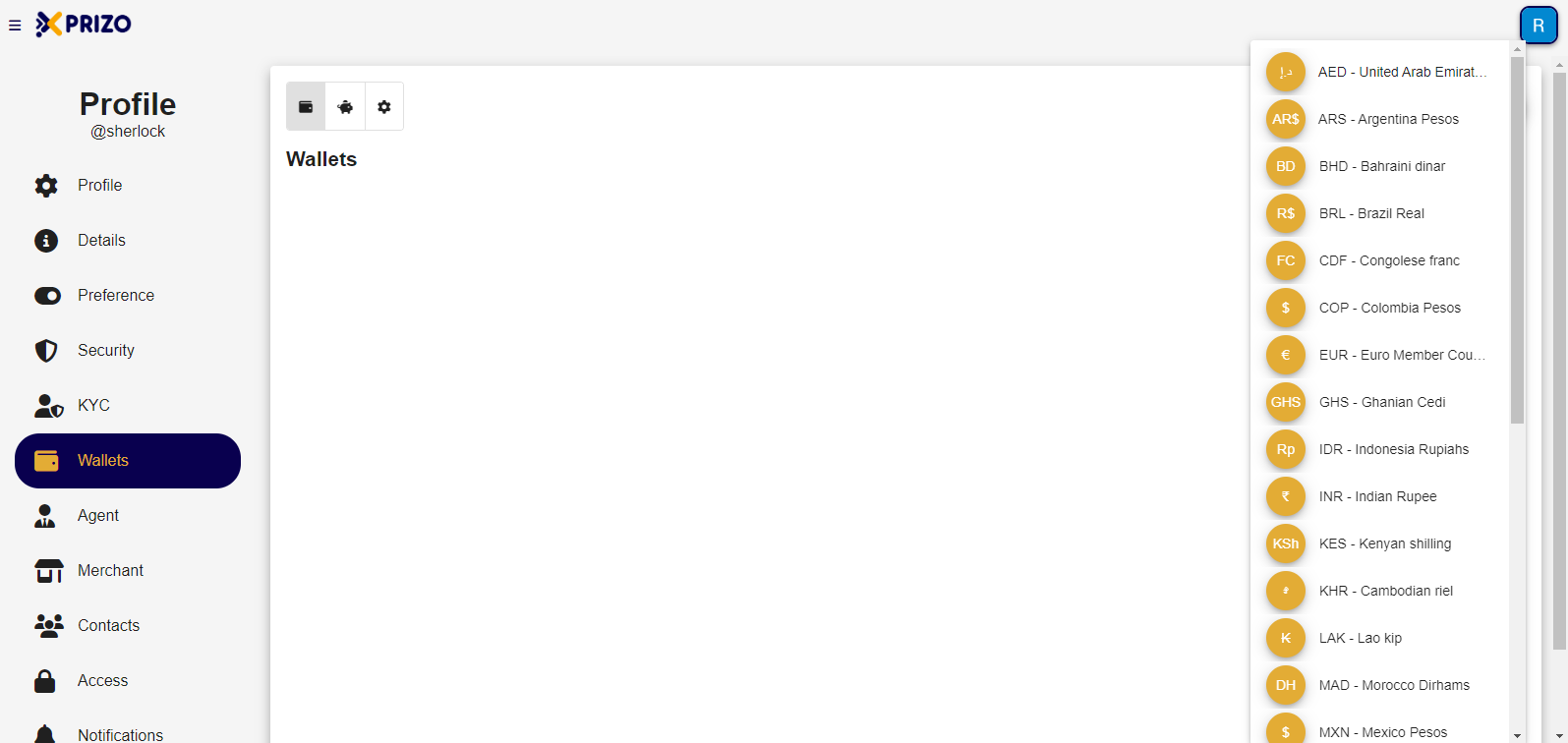
- <span style="font-size: 11pt; font-family: Arial, sans-serif; background-color: transparent; font-weight: 400; font-style: normal; font-variant: normal; text-wrap: wrap;">To add a new wallet click on the ![Add.png](https://books.xprizo.com/uploads/images/gallery/2024-01/scaled-1680-/add.png) button which will open a dropdown containing various currencies to select from and add them to the wallet.</span>

<span style="font-size: 11pt; font-family: Arial, sans-serif; background-color: transparent; font-weight: 400; font-style: normal; font-variant: normal; text-wrap: wrap;">![Screenshot 2024-01-10 172710.png](https://books.xprizo.com/uploads/images/gallery/2024-01/scaled-1680-/screenshot-2024-01-10-172710.png)</span>

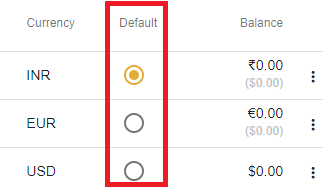
- <span style="background-color: transparent; font-family: Arial, sans-serif; font-size: 11pt; font-style: normal; font-variant-ligatures: normal; font-variant-caps: normal; font-weight: 400; text-wrap: wrap; color: #444444;">Once the wallet has been added, click on the radio button in front of the currency to set it as default for the user.</span>

<span style="background-color: transparent; font-family: Arial, sans-serif; font-size: 11pt; font-style: normal; font-variant-ligatures: normal; font-variant-caps: normal; font-weight: 400; text-wrap: wrap; color: #444444;">![default.png](https://books.xprizo.com/uploads/images/gallery/2024-01/scaled-1680-/default.png)</span>

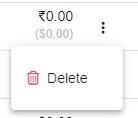
- <span style="background-color: transparent; color: #444444; font-family: Arial, sans-serif; font-size: 11pt; font-style: normal; font-variant-ligatures: normal; font-variant-caps: normal; font-weight: 400; text-wrap: wrap;">To remove any wallet click on the ellipsis button to open the dropdown for removing the desired wallet.</span>

<span style="background-color: transparent; color: #444444; font-family: Arial, sans-serif; font-size: 11pt; font-style: normal; font-variant-ligatures: normal; font-variant-caps: normal; font-weight: 400; text-wrap: wrap;">![delete.png](https://books.xprizo.com/uploads/images/gallery/2024-01/scaled-1680-/delete.png)</span>