# How to Fill User Details?

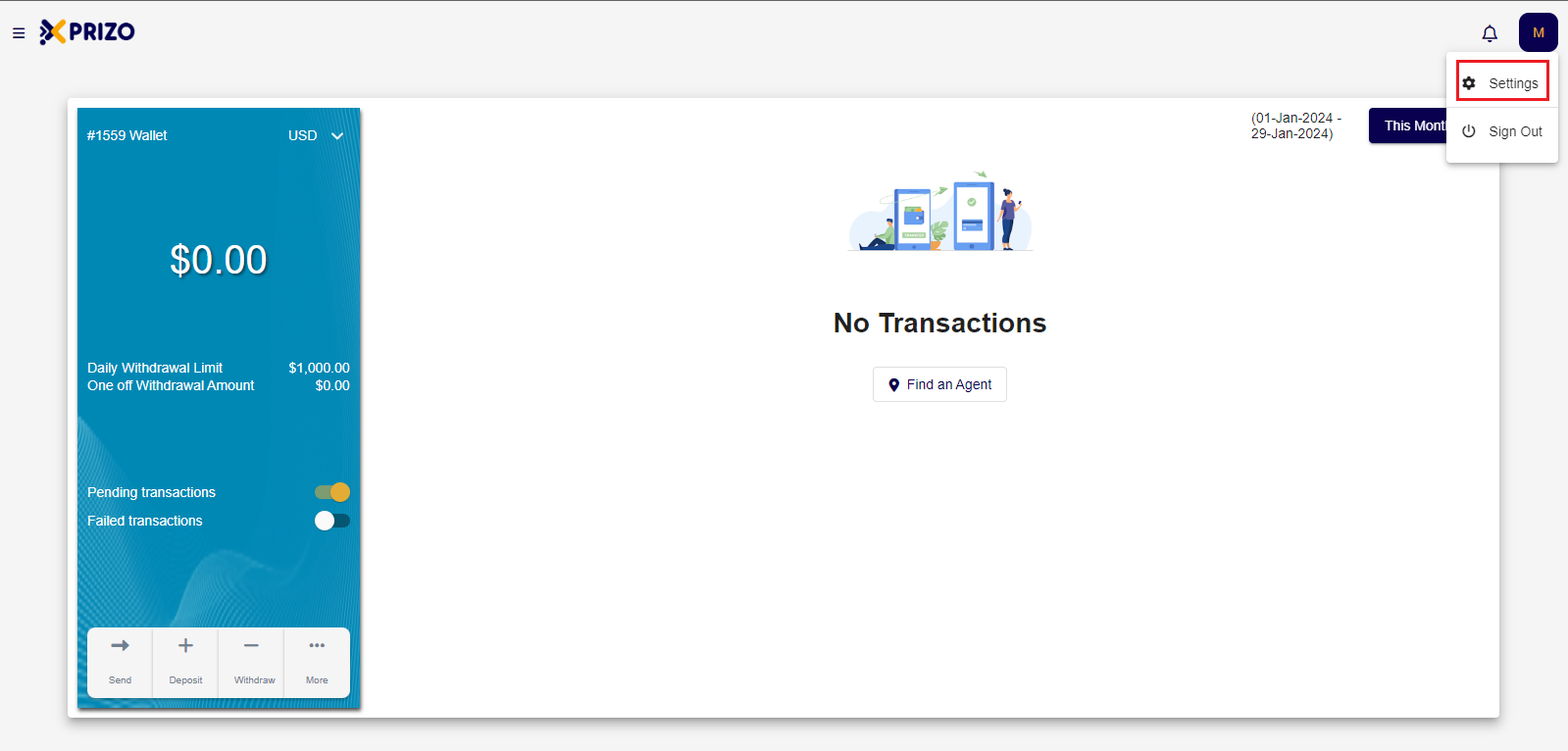
- Login to your account, and go to settings by clicking on the initial of your account in the top right corner.
![Screenshot 2024-01-29 235645.png](https://books.xprizo.com/uploads/images/gallery/2024-01/scaled-1680-/screenshot-2024-01-29-235645.png)

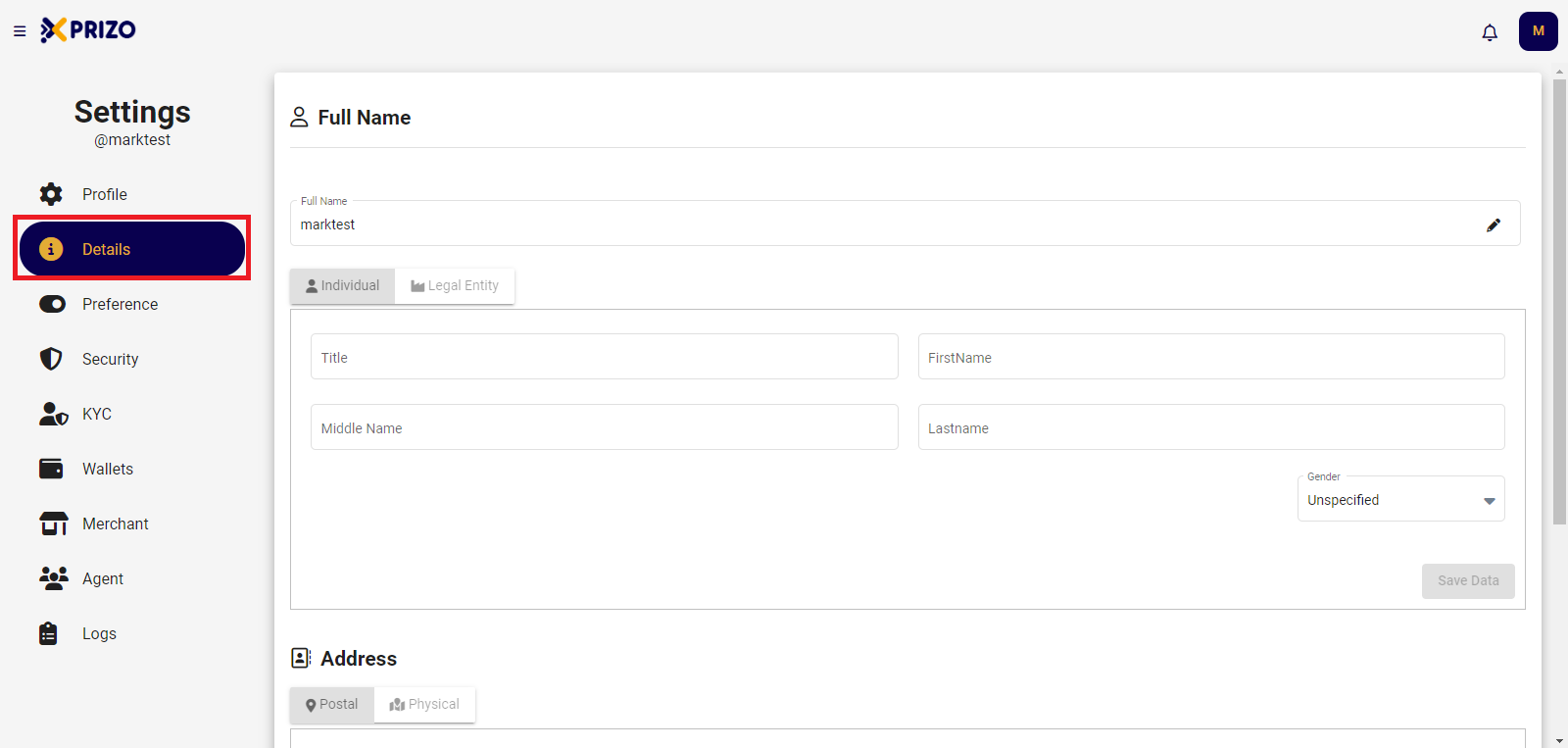
- Go to the "<span style="color: #000000;">Details</span>" tab to provide complete full name and address information.
![Screenshot 2024-01-21 134038.png](https://books.xprizo.com/uploads/images/gallery/2024-01/scaled-1680-/screenshot-2024-01-21-134038.png)

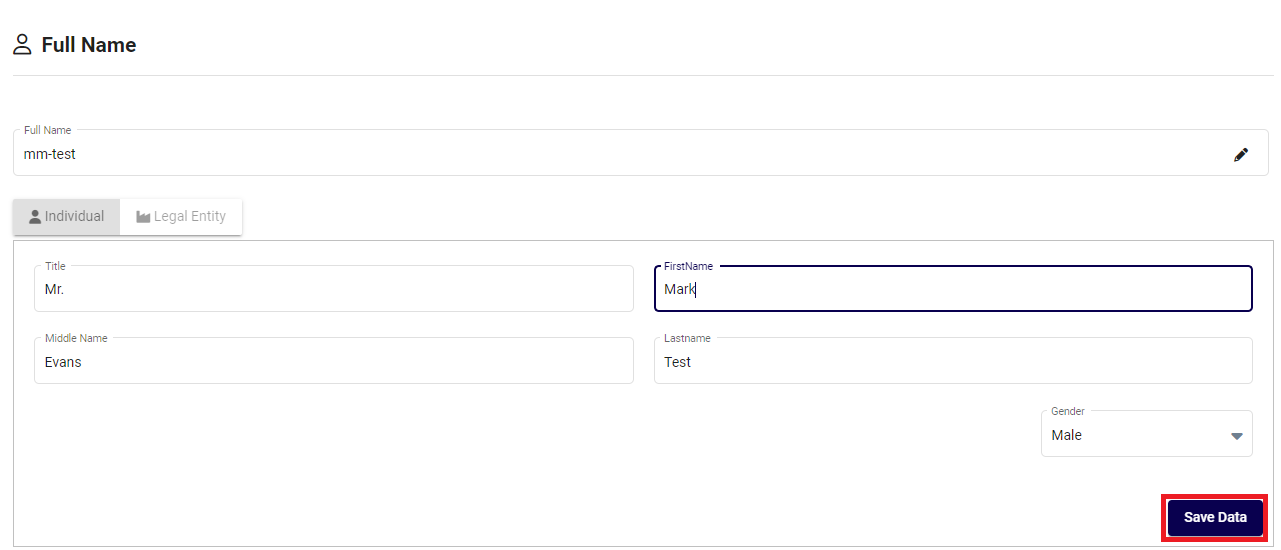
- Once you have entered information in both the Full Name and Address fields, click on "<span style="color: #000000;">Save Data</span>" to update the entered information.

![Screenshot 2024-01-21 135120.png](https://books.xprizo.com/uploads/images/gallery/2024-01/scaled-1680-/screenshot-2024-01-21-135120.png)