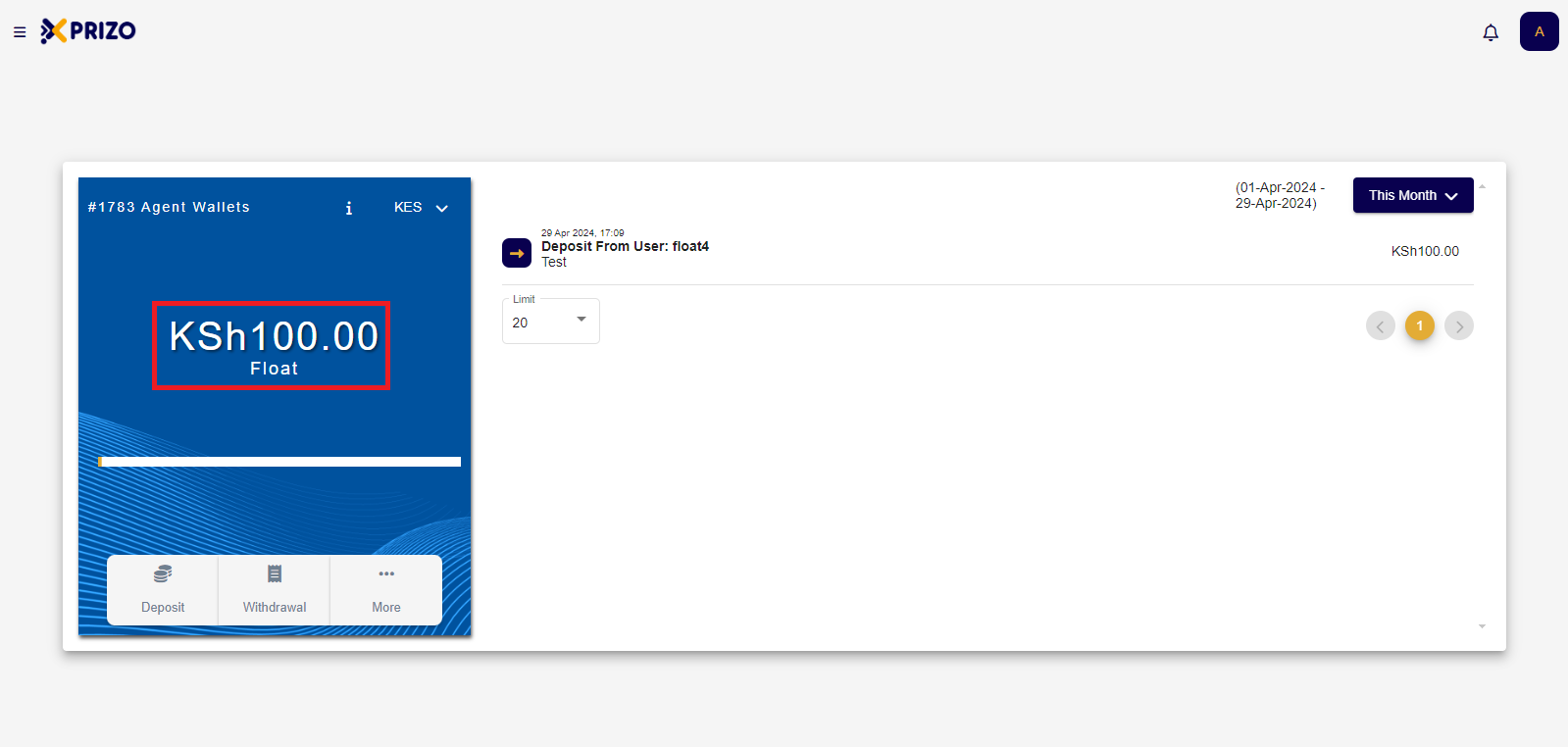
How to Manage Agent Wallet?
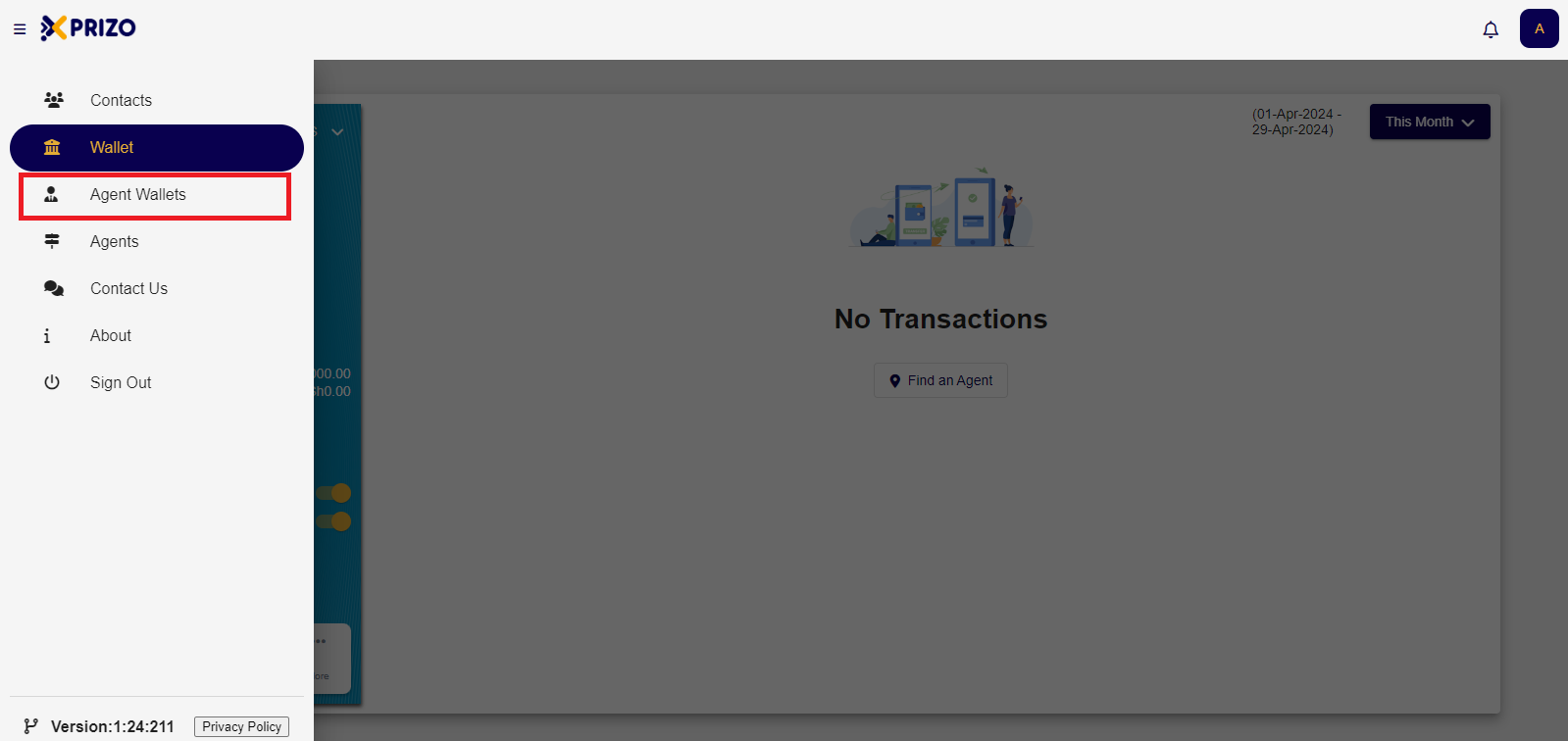
- Login to your account using your credentials and click on the hamburger menu to open Agent Wallets.
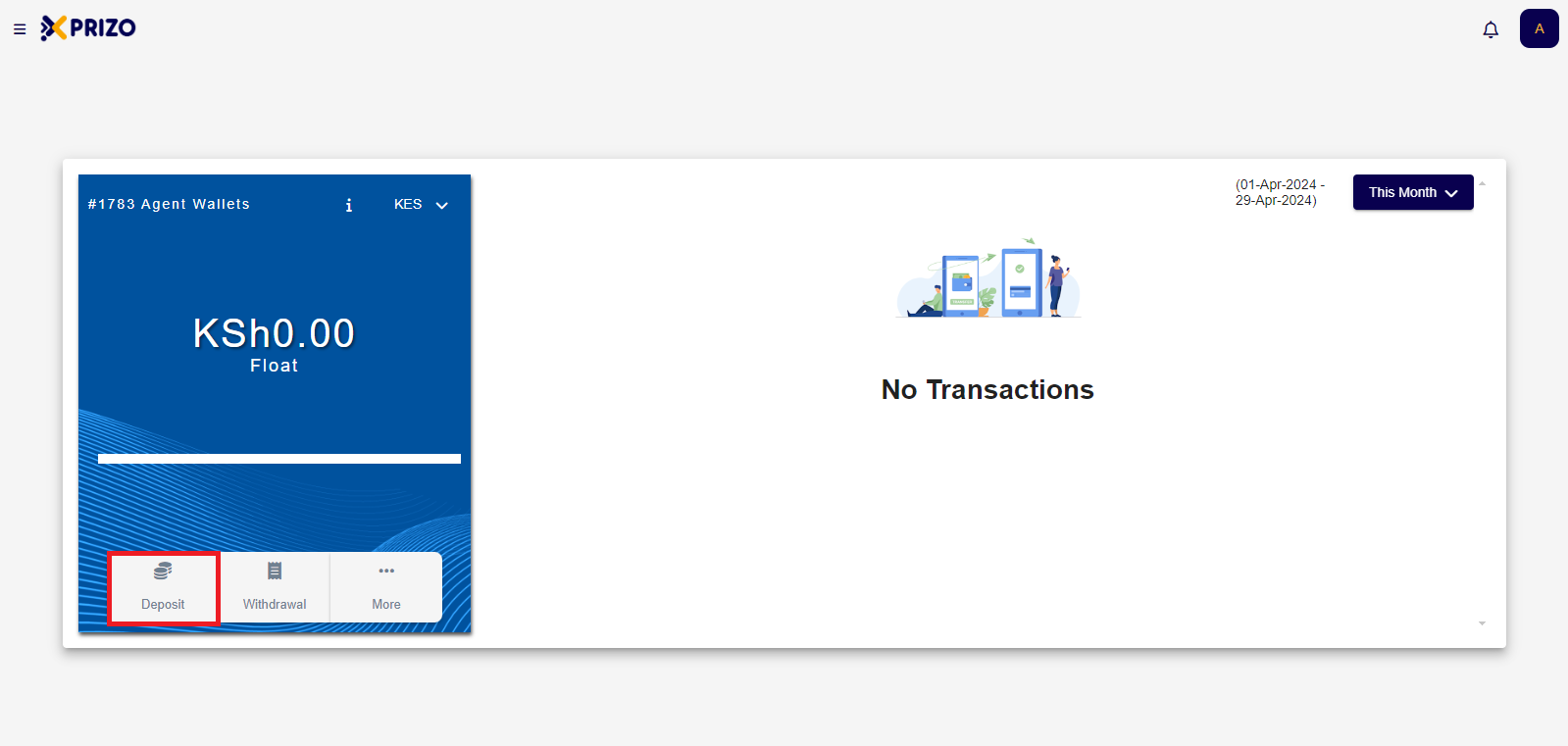
- Click on Deposit to receive funds from a user, funds received from a user will add the same funds to their user's wallet.
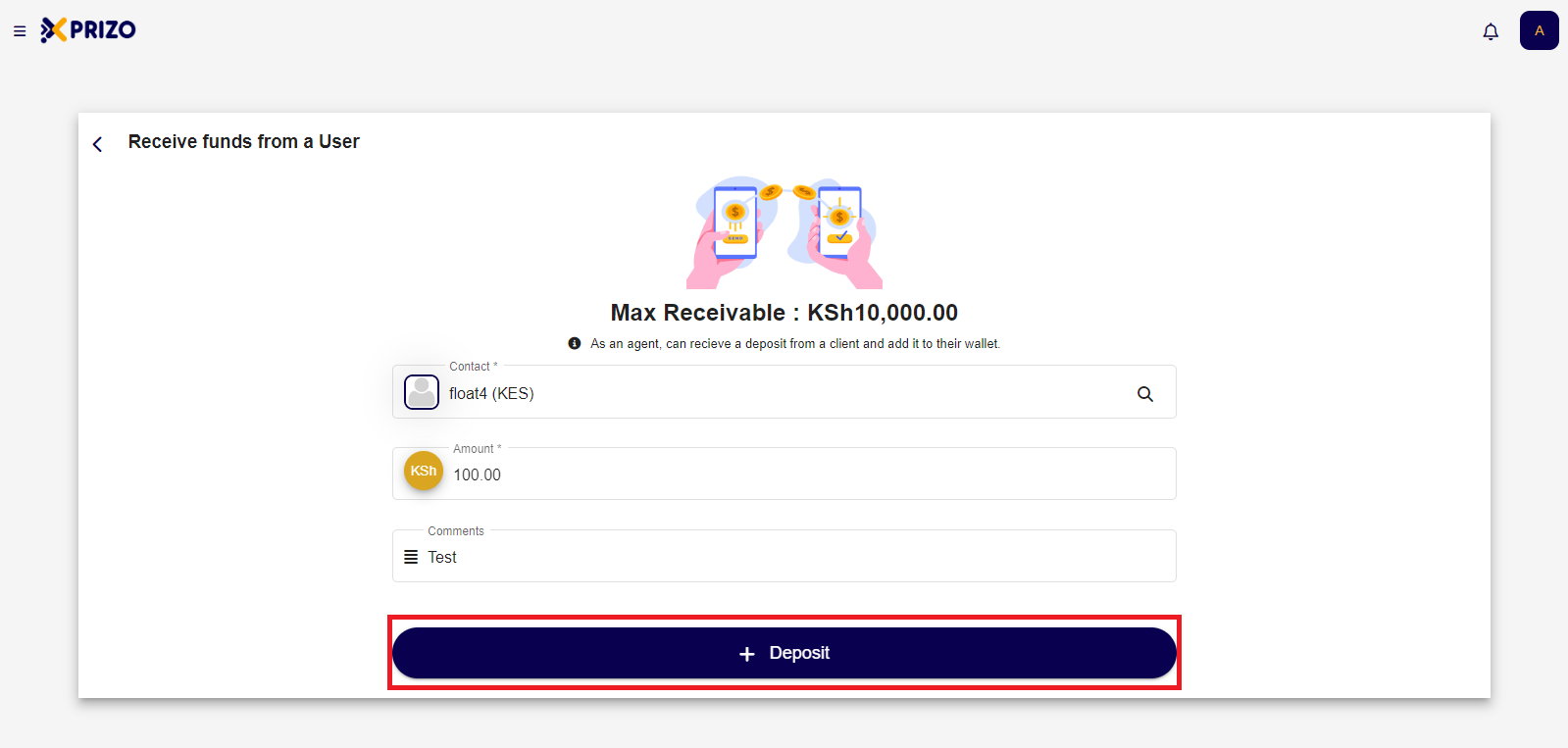
InChoose the
contactpersonfieldyouselectwantthetocontactsend money to from your contacts or search forthethem.contact to whose wallet you wish to add funds to.
- You will then be redirected to the Agent wallet screen where you will have to approve the transaction in the recent transactions screen. Click the check mark to approve the transaction or if you wish to discard the transaction click on cross to discard the transaction.
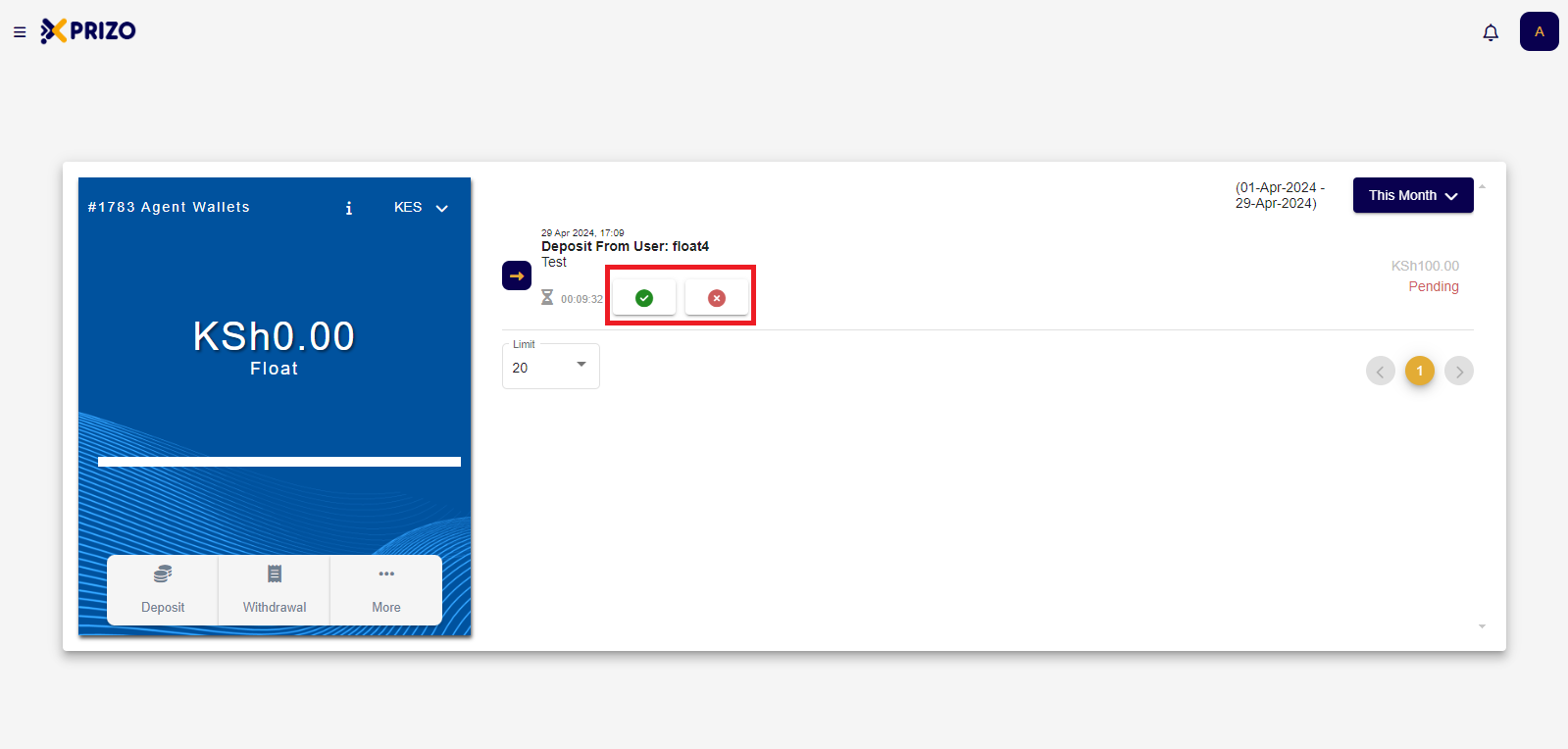
- Once approved funds received will be added to your agent wallet and the same amount will reflect on the user's wallet as well from whom we received the funds.