
How to become a Merchant?
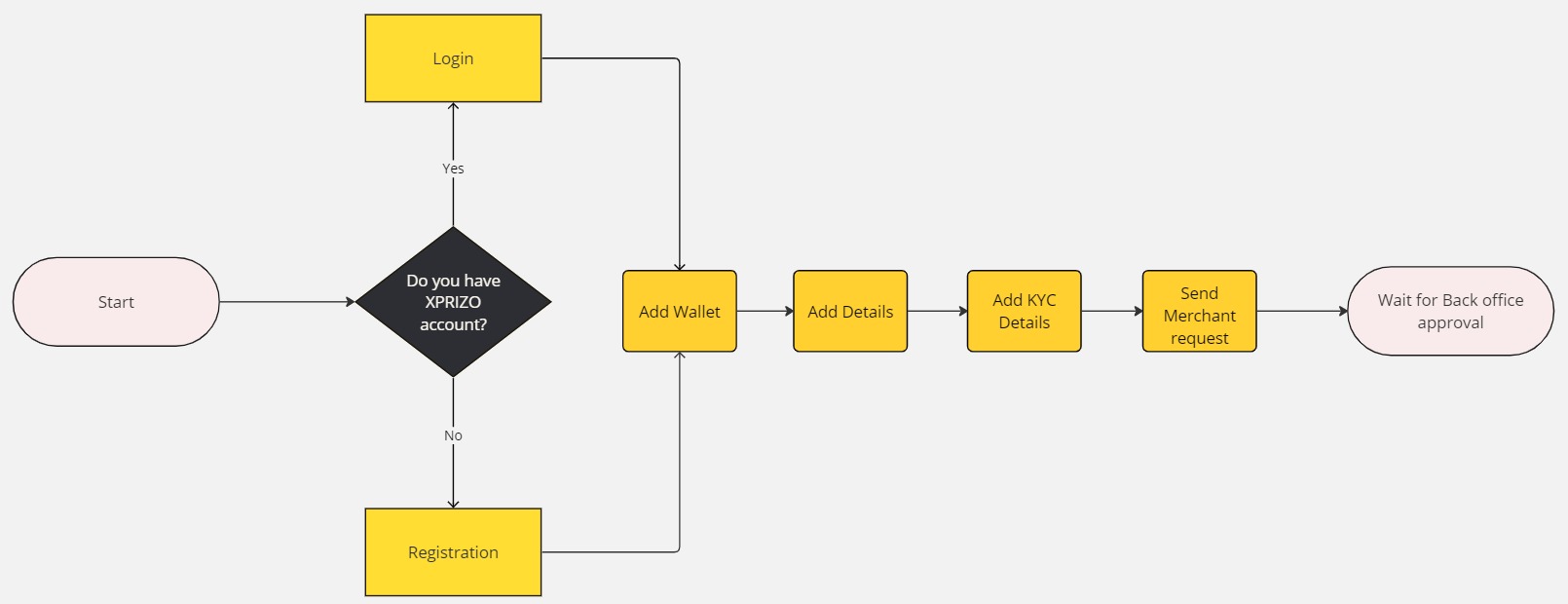
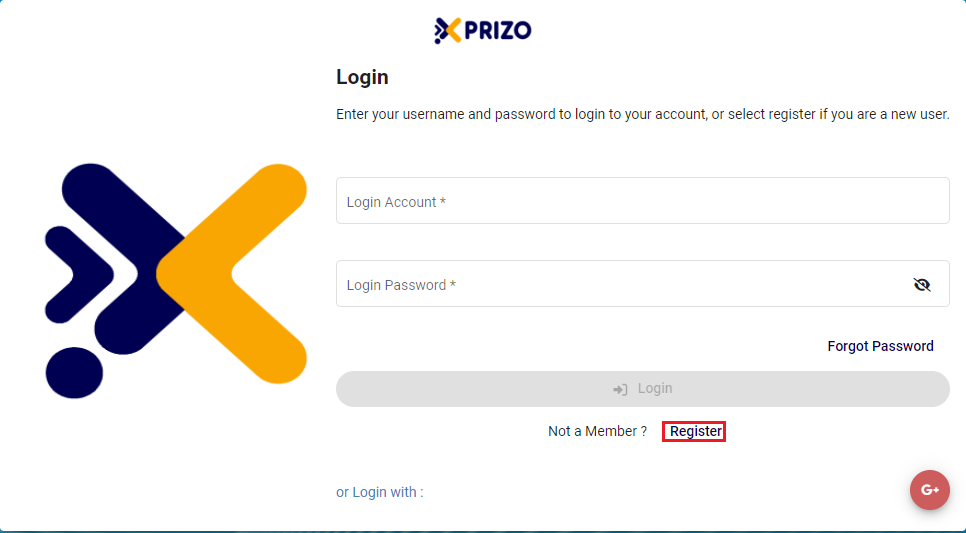
1. Login/Registration
- To initiate the creation of a new account, please click here and follow the provided steps.
2. Add Wallet
-
Follow the outlined steps here to add a new wallet as per the requirement.
3. Add User Details
To be able to send a merchant request to the back office, you will first need to complete user details for your profile. There you will need to complete your full name and address details. For a step-by-step guide, please click on the link below to learn how to add user details.
4. Add KYC Details
The next step is to complete KYC details and become KYC compliant. For this, you would have to upload your documents to verify your KYC. To initiate the KYC process, follow the provided steps below to complete the necessary procedures for KYC verification.
5. Send Merchant Request
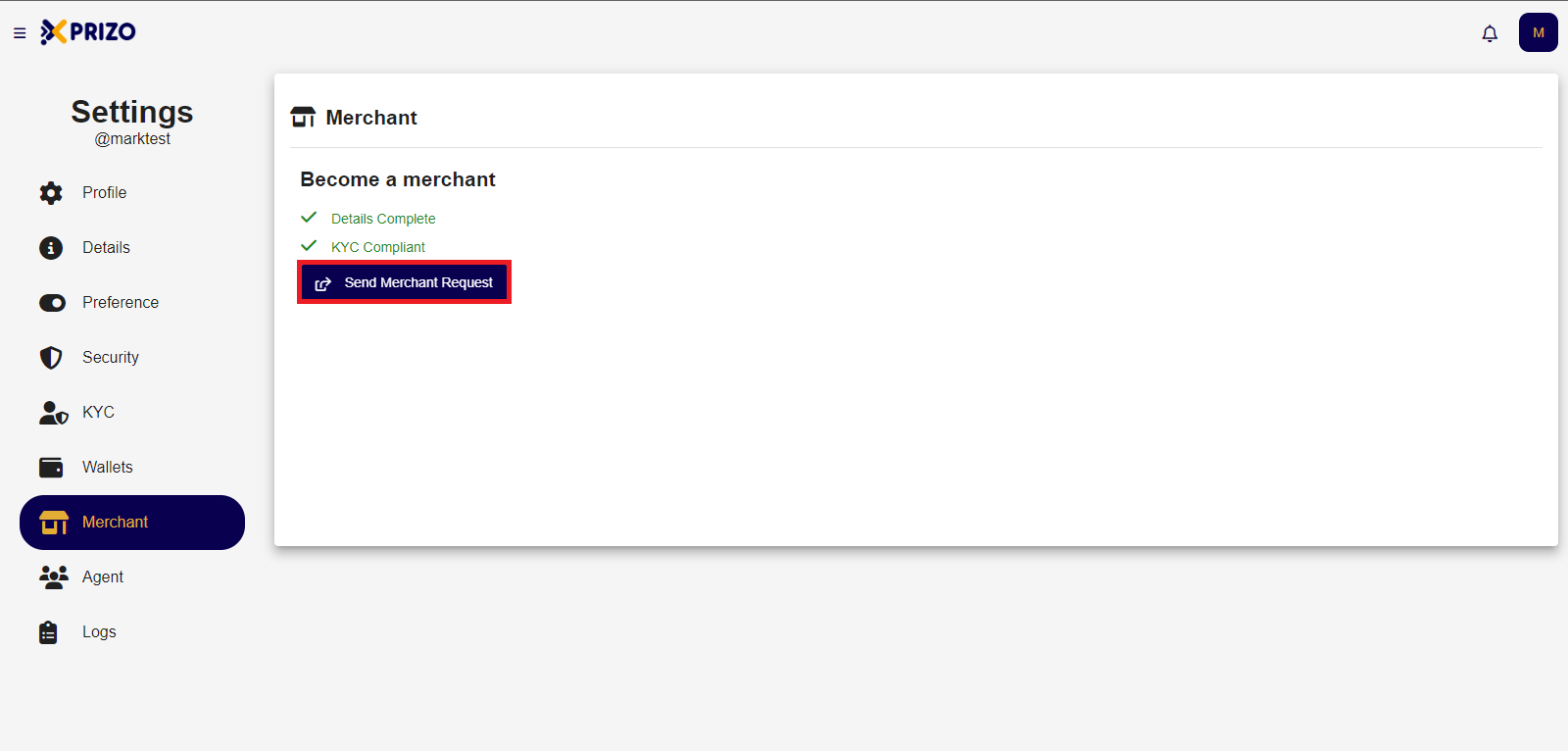
- Click on the "Confirm" button to send the request.
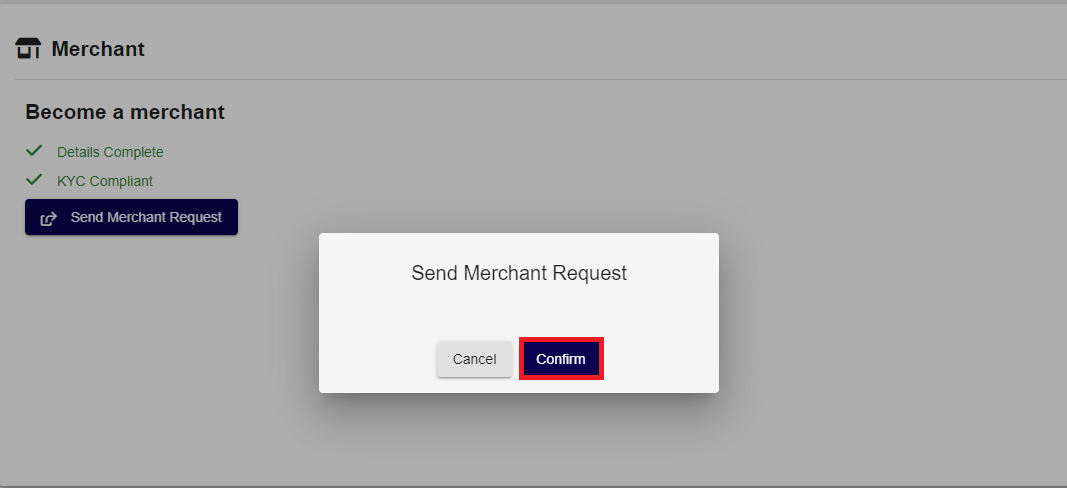
-
After sending the request, the user must wait for approval from the back office. Upon approval, the user will become a Merchant.